


On Sale: Obd-ii Scantools - Laptop/pc Version... Price Reduced!


Thread Starter
http://www.hyundaiaftermarket.org/images/vendor1.png

Joined: Mar 2006
Posts: 2,178
Likes: 0
From: Vancouver, BC, Canada
Vehicle: 01 Tiburon

*** Summer Sale Prices in Effect !!! ***
OBD-II Scantools (Laptop/PC Version)
With the use of the right software, these OBD scantools are far more useful than just reading the CEL error code. It is a complete advance diagnostic tool that will look at most or even all of the functions of the car. It is a very handy tuning tool or just something cool to show your friends. Here are some of the readings that you can derive from it:
Read diagnostic trouble codes, both generic and manufacturer-specific, and display their meaning (over 3000 generic code definitions in the database).
Clear trouble codes and turn off the MIL ("Check Engine" light)
Display current sensor data, including:
Engine RPM
Calculated Load Value
Coolant Temperature
Fuel System Status
Vehicle Speed
Short Term Fuel Trim
Long Term Fuel Trim
Intake Manifold Pressure
Timing Advance
Intake Air Temperature
Air Flow Rate
Absolute Throttle Position
Oxygen sensor voltages/associated short term fuel trims
Fuel System status
Fuel Pressure
Freeze Frame data
Continuous and Non-Continuous Oxygen Sensor test results
Data graphing and logging
Single Protocol Scantool - RS232/Serial


- Lightweight, robust, sleek and powerful
- Connects to a computer's Serial Port or RS232 (USB Version is now available for another $21. Please let me know if you are interested or check it's details below vvv)
- This unit powers up through the OBD diagnostic port with bi-coloured LEDs showing power and the current logic status
- I will personally include the 3 (or more of the) best softwares that I've found very useful in a CD
**Very Important Note**
This unit is will only work with ONE OBD protocol (PWM, VPW or ISO) . By default, I will be sending the ISO protocol unit (Hyundai vehicles and almost all of the imports uses this). Please let me know if you need a unit for a different protocol. For more information regarding vehicle protocol and compatiblility, please visit here http://www.scantool.net/browseCV.html
Sale Price: $54 Shipped anywhere in North America (+$10 for International)
(price dropped from $75)
ISO Protocol Scantool - USB
**New housing design**


**Very Important Note**
This unit is only available in the ISO protocol (Hyundai, Most Asian and European manufacturers use this)
Here is a LIST (<---click here) of vehicles that utilizes this protocol
- same features Single Protocol Scantool - RS232/Serial but it utilizes USB
- I will personally include the 3 (or more of the) best softwares that I've found very useful in a CD
- very compact design and very lightweight
- the USB and the OBD connector(s) has been directly integrated into the unit (less wire clutter)
This is great for fellas here with a laptop that doesnt have any serial port available. Due to the demand of these units I also have limited quantities, i apologize for this inconvience as well
Sale Price: $72 Shipped anywhere in North America (+$10 for International)
(price dropped from $99)
Multi Protocol Scantool Unit - Serial, USB or Bluetooth
**New housing design** This is how the new Multi Protocol Scantool - Serial looks like now... (click on the pic to enlarge)
- very compact design and very lightweight
- the USB and the OBD connector(s) has been directly integrated into the unit (less wire clutter)


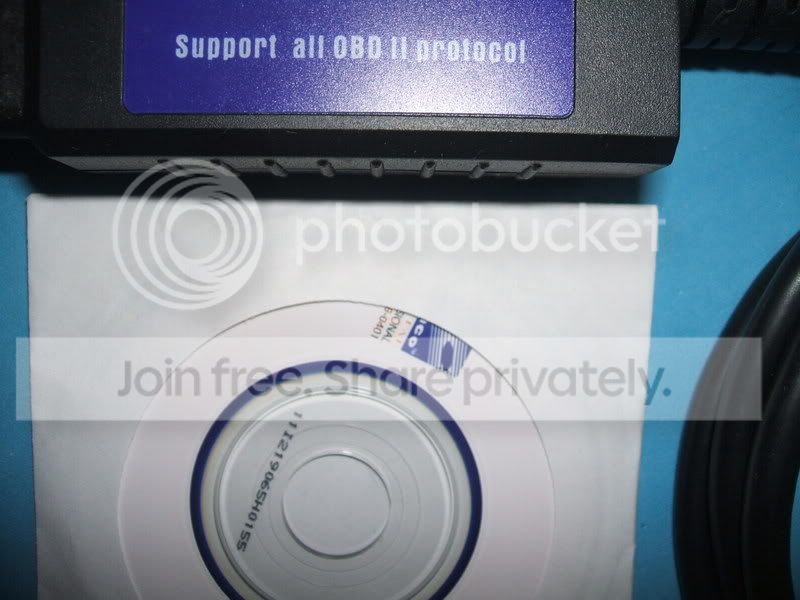
- Same features as the previous unit (Single Protocol Scantool) except, it is more powerful! It is compatible with all of the OBD (OBD-II) protocols (all vehicles)
- I will personally include the 3 (or more of the) best softwares that I've found very useful in a CD
- Connects to a computer's Serial Port or RS232 (There is also a USB or Bluetooth versions available for awesome prices)
This is my personal favorite because it will work with all OBD-II, CAN-BUS, EOBD (European) or JOBD (Japan) vehicles out there. This is the best choice if you have different cars or will be buying another.
Serial - Sale Price: $98 Shipped anywhere in North America (+$12 for International)
(price dropped from $125)
This is exactly the same unit as scantool.net is selling http://www.scantool.net/products/product_i...;products_id=21 (just different cosmetics) but cheaper (shipping, handling and programs are already included for free with my scantools)
USB - Sale Price: $115 Shipped anywhere in North America (+$12 for International)
(price dropped from $150)


Bluetooth - Sale Price: $138 Shipped anywhere in North America (+$12 for International)
(price dropped from $180)
------------------------------------------------------------------
Payment and Shipping Information
I can take Money Order, Western Union or Paypal (preferred!). My paypal address is jay_m05@yahoo.com
I ship through Canada Post Expedited Service (with tracking) for North American shipments and it usually takes a week and a half or less (depending on your location) for your package to arrive. For International shipments, I use Canada Post Small Packet Airmail Service and it will usually take a week and a half (depending on your location) for your package to arrive.
I have these units on hand (except if its otherwise noted) and I ship out right away after the payment clears
Warranty, Returns and Exchanges Policy:
- There is a 1 (one) year warranty against manufacturers defect on these units. I will replace your unit with another!
- In an event where you have decided to exchange for another unit or a better model (upgrade), It has to be within 30 days from the receipt of the package. The unit has to be clean, no damages or scratches, in good working condition and all of the cables, packaging and software disk are present. You will have to pay for shipping and handling both ways (plus the price difference for the newer/better model, if you have decided to upgrade). Please understand that these are hard costs.
- If you are not satisfied or just having a hard time getting it to work with your car/laptop and finally just giving up for any reasons at all, i can do refunds. It has to be within 30 days from the receipt of the package and you will have to pay for the shipping and handling since these are a hard costs. The unit has to be clean, no damages or scratches, in good working condition and all of the cables, packaging and software disk are present
If you have any questions or concerns just let me know or read more about OBD here http://en.wikipedia.org/wiki/On_Board_Diagnostics to fully understand these units
Thank you so much.. Please let me know if you have any questions or concerns...
- Jay-M
OBD-II Scantools (Laptop/PC Version)
With the use of the right software, these OBD scantools are far more useful than just reading the CEL error code. It is a complete advance diagnostic tool that will look at most or even all of the functions of the car. It is a very handy tuning tool or just something cool to show your friends. Here are some of the readings that you can derive from it:
Read diagnostic trouble codes, both generic and manufacturer-specific, and display their meaning (over 3000 generic code definitions in the database).
Clear trouble codes and turn off the MIL ("Check Engine" light)
Display current sensor data, including:
Engine RPM
Calculated Load Value
Coolant Temperature
Fuel System Status
Vehicle Speed
Short Term Fuel Trim
Long Term Fuel Trim
Intake Manifold Pressure
Timing Advance
Intake Air Temperature
Air Flow Rate
Absolute Throttle Position
Oxygen sensor voltages/associated short term fuel trims
Fuel System status
Fuel Pressure
Freeze Frame data
Continuous and Non-Continuous Oxygen Sensor test results
Data graphing and logging
Single Protocol Scantool - RS232/Serial
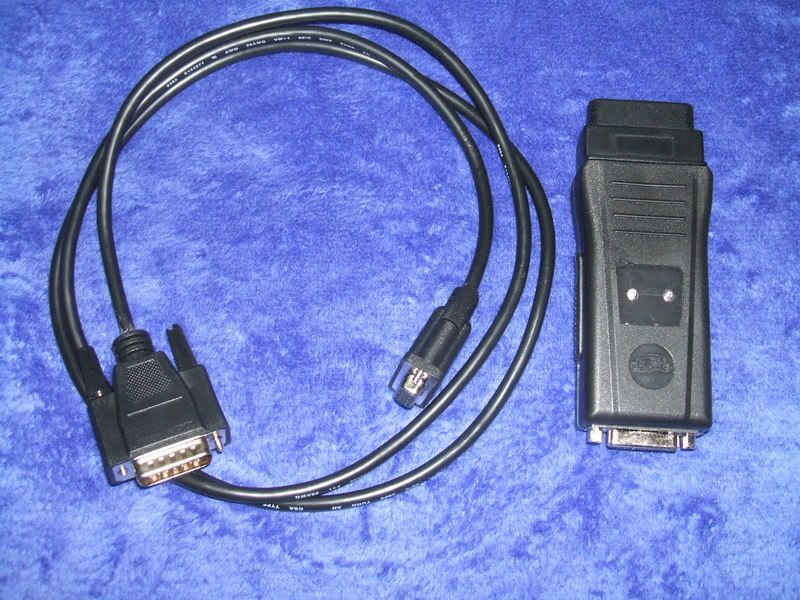
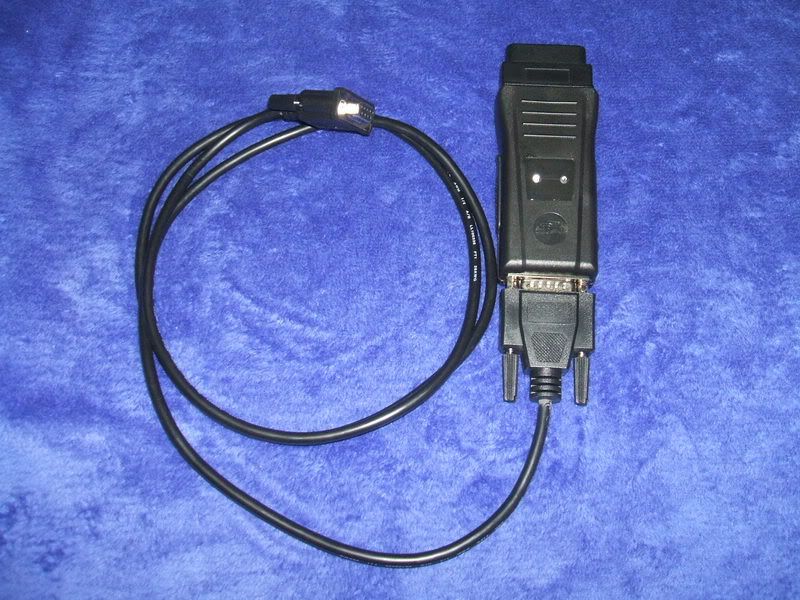
- Lightweight, robust, sleek and powerful
- Connects to a computer's Serial Port or RS232 (USB Version is now available for another $21. Please let me know if you are interested or check it's details below vvv)
- This unit powers up through the OBD diagnostic port with bi-coloured LEDs showing power and the current logic status
- I will personally include the 3 (or more of the) best softwares that I've found very useful in a CD
**Very Important Note**
This unit is will only work with ONE OBD protocol (PWM, VPW or ISO) . By default, I will be sending the ISO protocol unit (Hyundai vehicles and almost all of the imports uses this). Please let me know if you need a unit for a different protocol. For more information regarding vehicle protocol and compatiblility, please visit here http://www.scantool.net/browseCV.html
Sale Price: $54 Shipped anywhere in North America (+$10 for International)
(price dropped from $75)
ISO Protocol Scantool - USB
**New housing design**
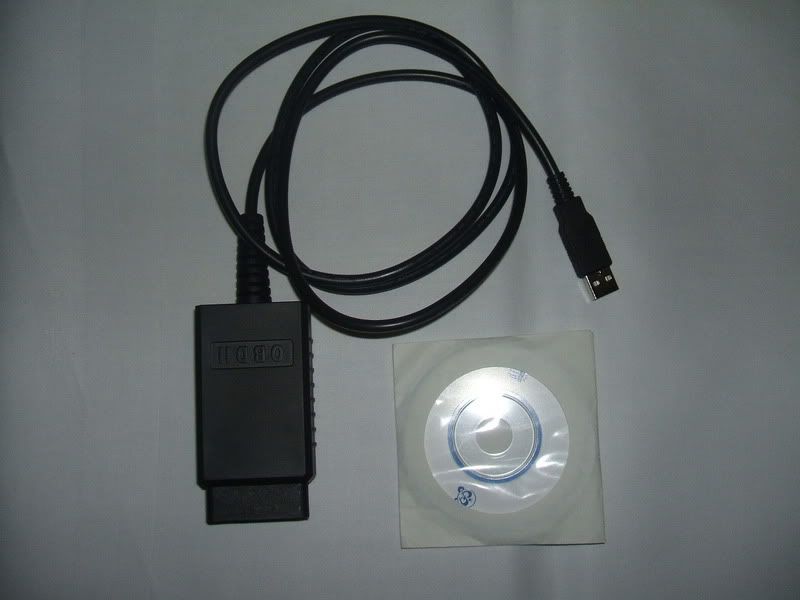
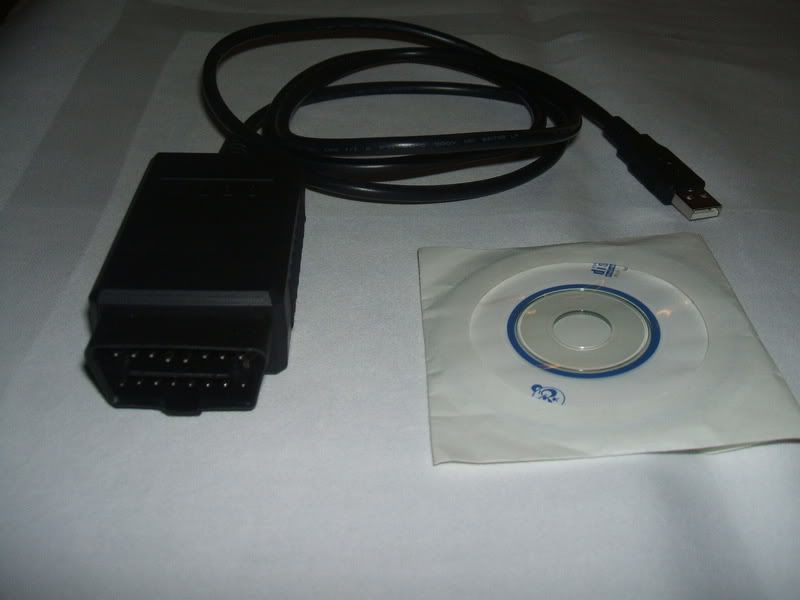
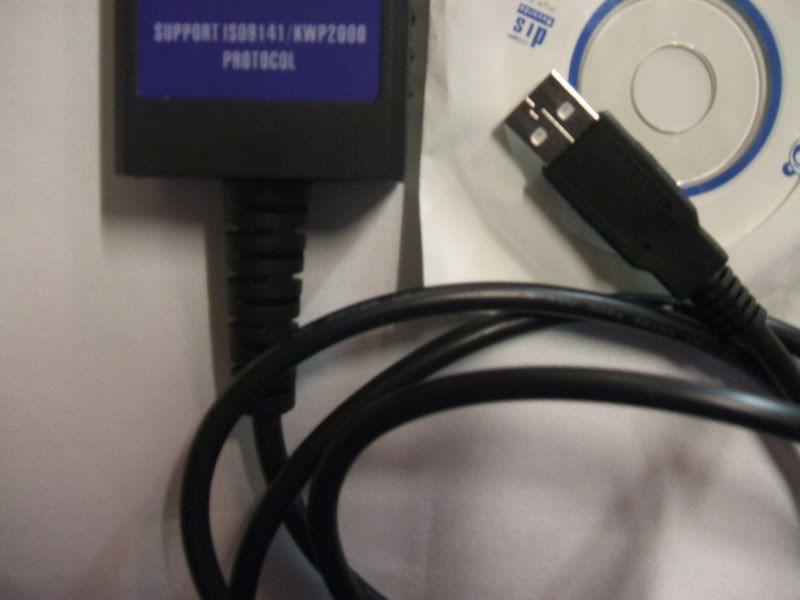
**Very Important Note**
This unit is only available in the ISO protocol (Hyundai, Most Asian and European manufacturers use this)
Here is a LIST (<---click here) of vehicles that utilizes this protocol
- same features Single Protocol Scantool - RS232/Serial but it utilizes USB
- I will personally include the 3 (or more of the) best softwares that I've found very useful in a CD
- very compact design and very lightweight
- the USB and the OBD connector(s) has been directly integrated into the unit (less wire clutter)
This is great for fellas here with a laptop that doesnt have any serial port available. Due to the demand of these units I also have limited quantities, i apologize for this inconvience as well
Sale Price: $72 Shipped anywhere in North America (+$10 for International)
(price dropped from $99)
Multi Protocol Scantool Unit - Serial, USB or Bluetooth
**New housing design** This is how the new Multi Protocol Scantool - Serial looks like now... (click on the pic to enlarge)
- very compact design and very lightweight
- the USB and the OBD connector(s) has been directly integrated into the unit (less wire clutter)
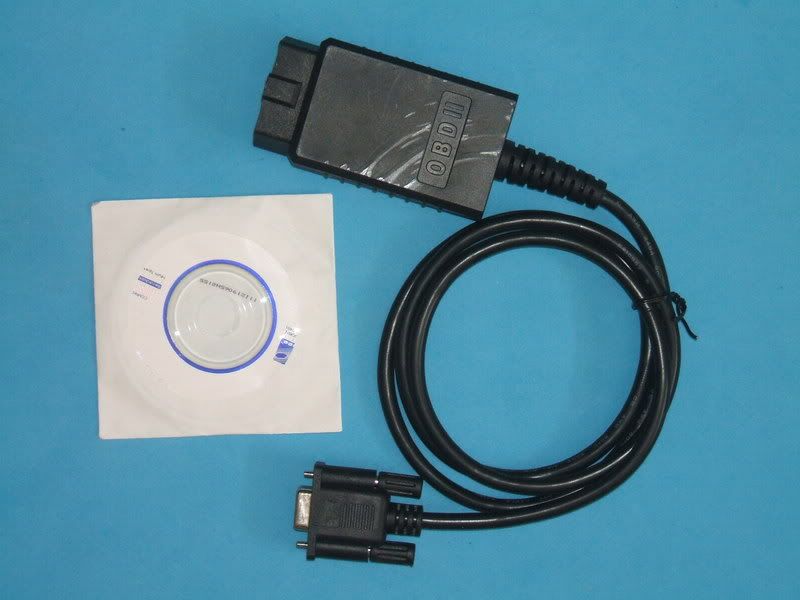
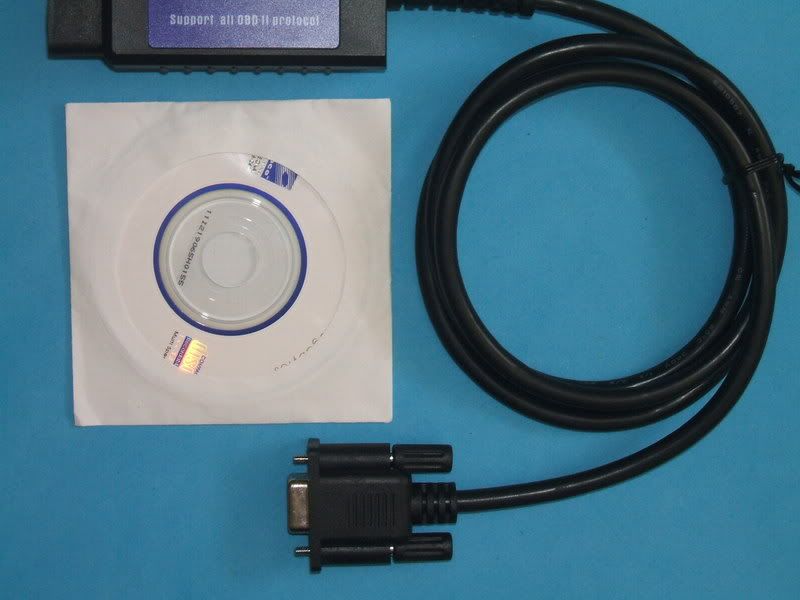
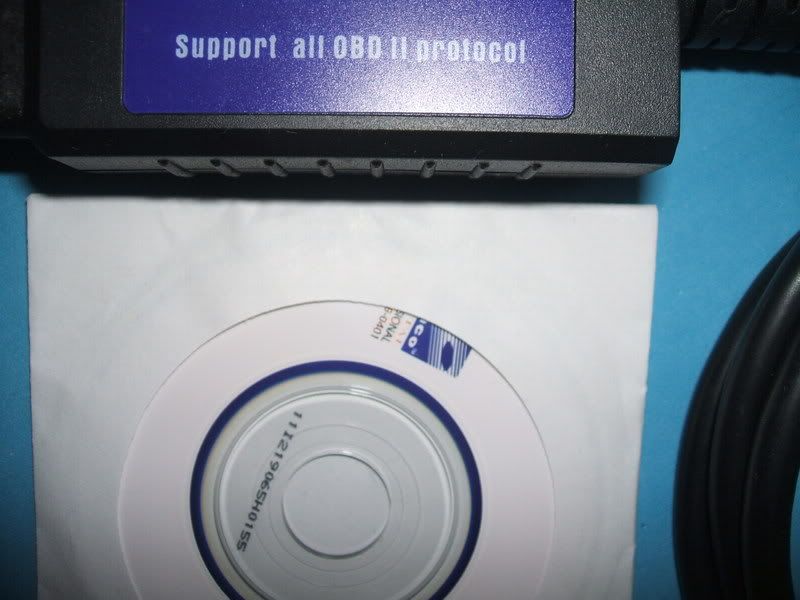
- Same features as the previous unit (Single Protocol Scantool) except, it is more powerful! It is compatible with all of the OBD (OBD-II) protocols (all vehicles)
- I will personally include the 3 (or more of the) best softwares that I've found very useful in a CD
- Connects to a computer's Serial Port or RS232 (There is also a USB or Bluetooth versions available for awesome prices)
This is my personal favorite because it will work with all OBD-II, CAN-BUS, EOBD (European) or JOBD (Japan) vehicles out there. This is the best choice if you have different cars or will be buying another.
Serial - Sale Price: $98 Shipped anywhere in North America (+$12 for International)
(price dropped from $125)
This is exactly the same unit as scantool.net is selling http://www.scantool.net/products/product_i...;products_id=21 (just different cosmetics) but cheaper (shipping, handling and programs are already included for free with my scantools)
USB - Sale Price: $115 Shipped anywhere in North America (+$12 for International)
(price dropped from $150)
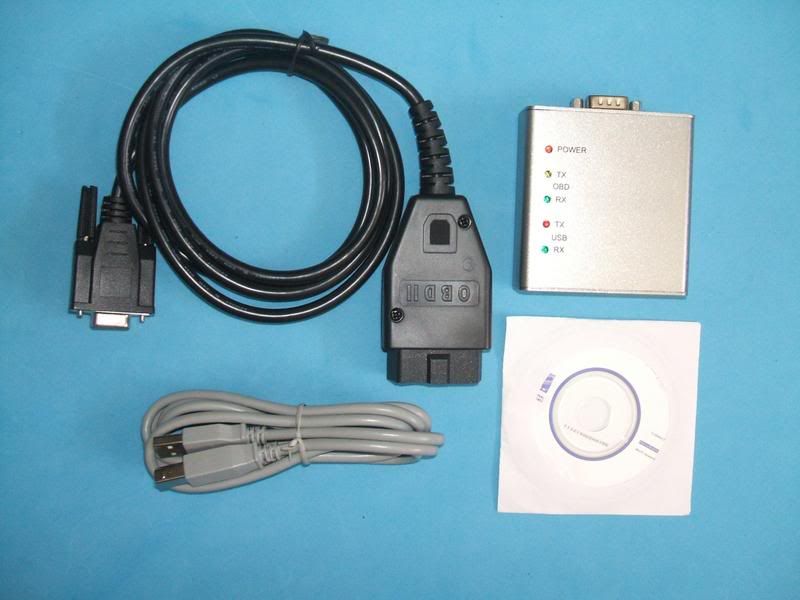
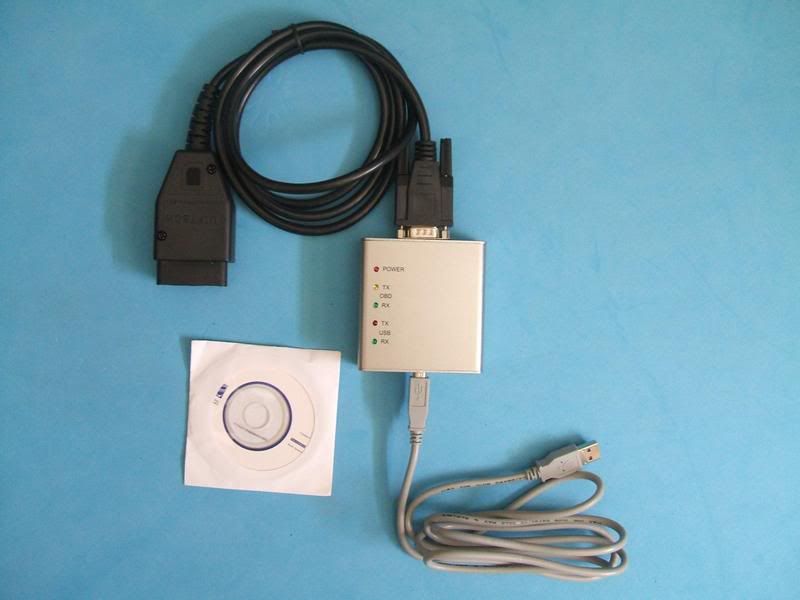
Bluetooth - Sale Price: $138 Shipped anywhere in North America (+$12 for International)
(price dropped from $180)
------------------------------------------------------------------
Payment and Shipping Information
I can take Money Order, Western Union or Paypal (preferred!). My paypal address is jay_m05@yahoo.com
I ship through Canada Post Expedited Service (with tracking) for North American shipments and it usually takes a week and a half or less (depending on your location) for your package to arrive. For International shipments, I use Canada Post Small Packet Airmail Service and it will usually take a week and a half (depending on your location) for your package to arrive.
I have these units on hand (except if its otherwise noted) and I ship out right away after the payment clears
Warranty, Returns and Exchanges Policy:
- There is a 1 (one) year warranty against manufacturers defect on these units. I will replace your unit with another!
- In an event where you have decided to exchange for another unit or a better model (upgrade), It has to be within 30 days from the receipt of the package. The unit has to be clean, no damages or scratches, in good working condition and all of the cables, packaging and software disk are present. You will have to pay for shipping and handling both ways (plus the price difference for the newer/better model, if you have decided to upgrade). Please understand that these are hard costs.
- If you are not satisfied or just having a hard time getting it to work with your car/laptop and finally just giving up for any reasons at all, i can do refunds. It has to be within 30 days from the receipt of the package and you will have to pay for the shipping and handling since these are a hard costs. The unit has to be clean, no damages or scratches, in good working condition and all of the cables, packaging and software disk are present
If you have any questions or concerns just let me know or read more about OBD here http://en.wikipedia.org/wiki/On_Board_Diagnostics to fully understand these units
Thank you so much.. Please let me know if you have any questions or concerns...
- Jay-M
Thread Starter
http://www.hyundaiaftermarket.org/images/vendor1.png
Joined: Mar 2006
Posts: 2,178
Likes: 0
From: Vancouver, BC, Canada
Vehicle: 01 Tiburon
Pictures/Screenshots of of these units in action:
*Note(s)*
These are ACTUAL pictures and screenshots from my own car(s) and others. I have tested and "played" around with these units personally.
OBD Code Reader/Clearer:


Easy to use, very simple procedure:
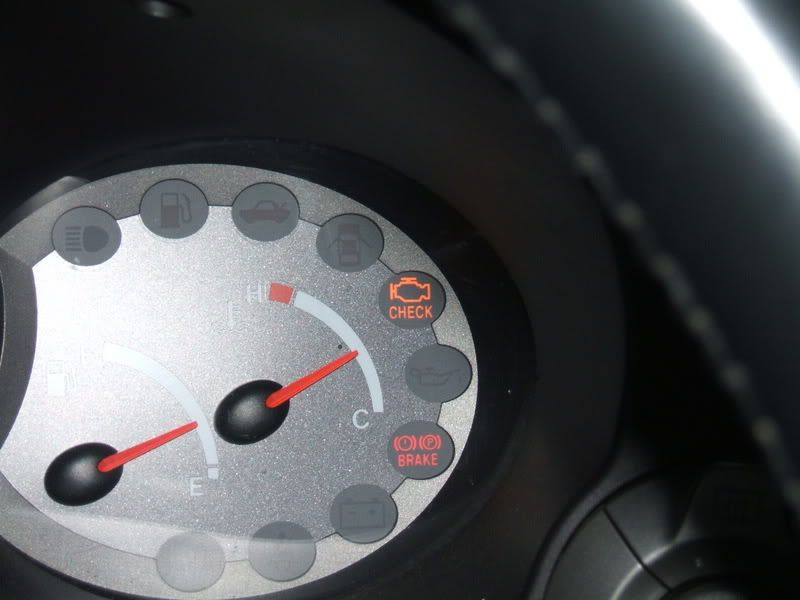
Once you see the CEL on...
- Plug in the code reader into the OBD port, hit READ
- The code reader will flash the code 3 times. Once you see the code, look it up in the manual booklet or webtech to identify it
- Diagnose/troubleshoot and fix the problem
- Hit the Clear button to erase the code
--------------------------------
OBD Scantool(s):
Scantool and Laptop Pics


EasyOBD Software (Included in the CD-ROM) Screenshots


I deliberately introduced an OBD error (CEL)


Scantool.Net Software (Included in the CD-ROM) Screenshots


ScanMaster Software (Included in the CD-ROM) Screenshots:


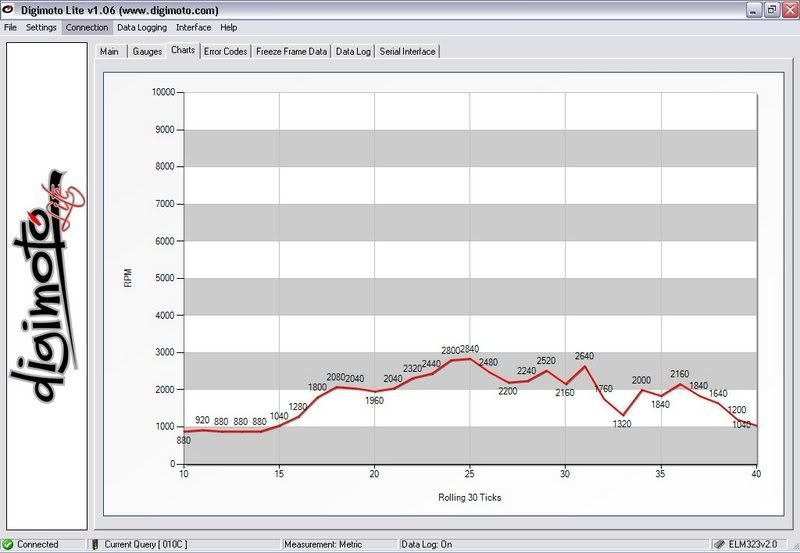
Digimoto Lite Software
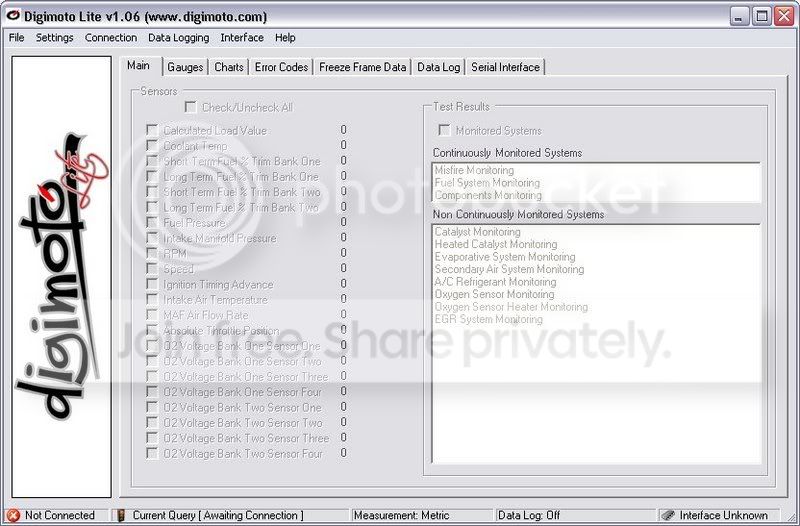


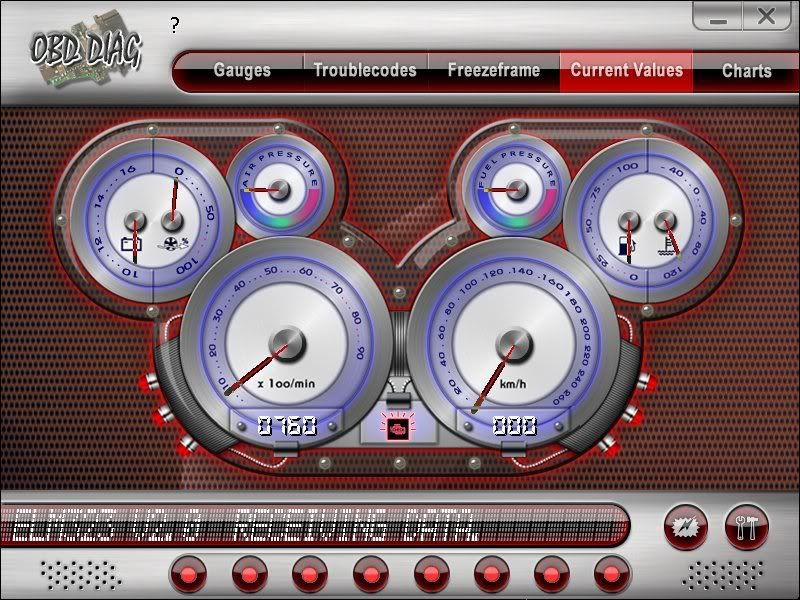
OBD DIAG
 More pics/screenshots HERE (post #55 of this thread)
----------------------------------------------
COM Port Settings:
(based on tanc's thread here... http://www.rdtiburon.com/index.php?showtopic=20585&hl= here are some more additional info about the com port settings)
there are two ways to change the com port # of your rs232 or serial port, that i know of... one is windows based and the other is dos..
since, i windows is the least complicated one, here's how it goes:
Go to the Control panel, then to the System Menu, then to the Hardware Tab, hit the Device Manager button, scroll down to Ports (COM & LPT), select Port settings (here you could change your bit rate), then click the Advanced button, and there you go! you can change your com port #'s from here.
Also while your are on this menu.. try leaving "FIFO" selected and Set the recieve and the transmit buffers to lowest setting. Then save your settings
USB Scantool COM Port Settings:
(based on drivingtibnaked's settings)
On the USB multi protocol scantool. The com ports and programs will function the same with the rest of the scantools.
Most of the software will work right away. Some of them stalled or something the first time around and I changed my USB port, restarted and got all but some of the experimental programs to work.
These are my com port settings first time plugged in everything worked correctly. Right click my computer, click manage, device manager, ports (LPT and COM), then select the USB Serial port.
Bits per second: 9600
Data bits: 8
Parity: None
Stop bits: 1
Flow control: none
Advanced:
Com port number: com4
Receive (bytes): 4096
Transmit(bytes): 4096
Latency timer(msec): 16
minimum read timeout (msec):0
minimum write timeout (msec):0
In all your programs select COM4, 9600, search around and see if there is an option for "ELM" and select that one. Leave any other settings as they are. This should work for everyone
Also, if anyone has "questions" regarding Digimoto, PM me wink1.gif
*Note(s)*
These are ACTUAL pictures and screenshots from my own car(s) and others. I have tested and "played" around with these units personally.
OBD Code Reader/Clearer:
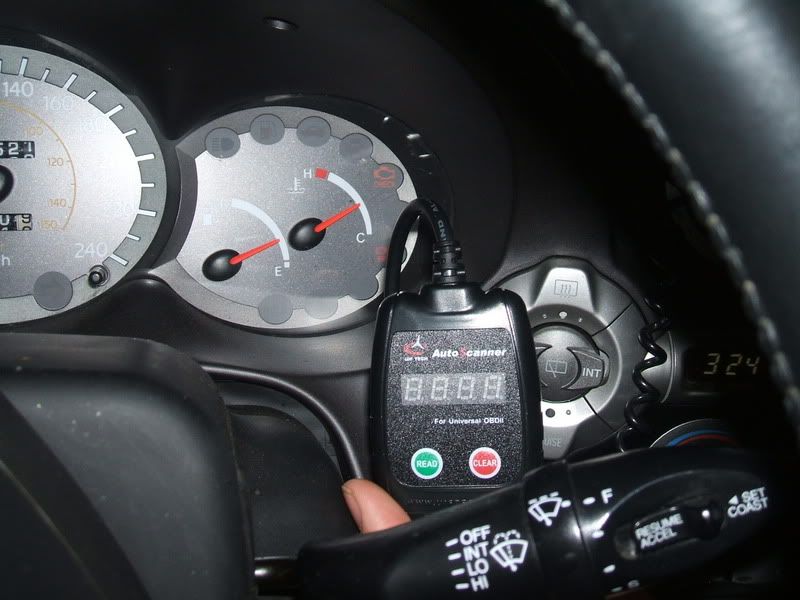
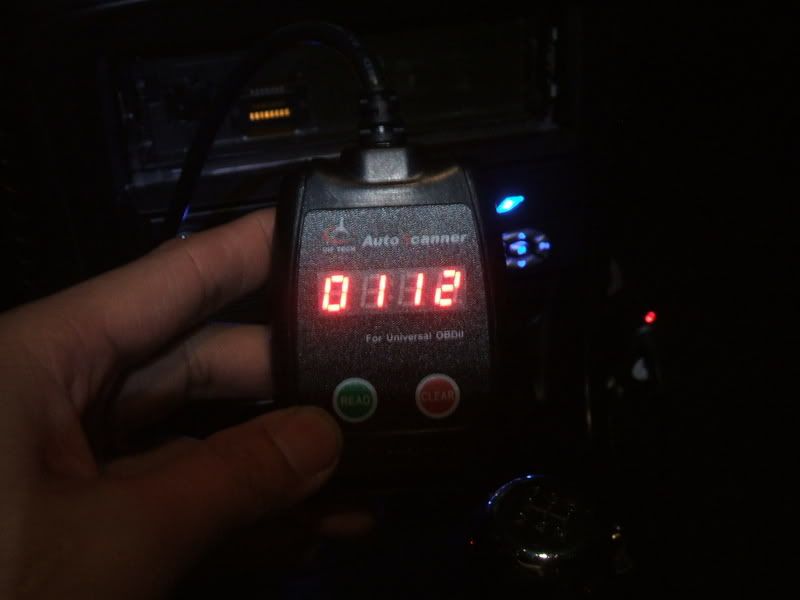
Easy to use, very simple procedure:
Once you see the CEL on...
- Plug in the code reader into the OBD port, hit READ
- The code reader will flash the code 3 times. Once you see the code, look it up in the manual booklet or webtech to identify it
- Diagnose/troubleshoot and fix the problem
- Hit the Clear button to erase the code
--------------------------------
OBD Scantool(s):
Scantool and Laptop Pics
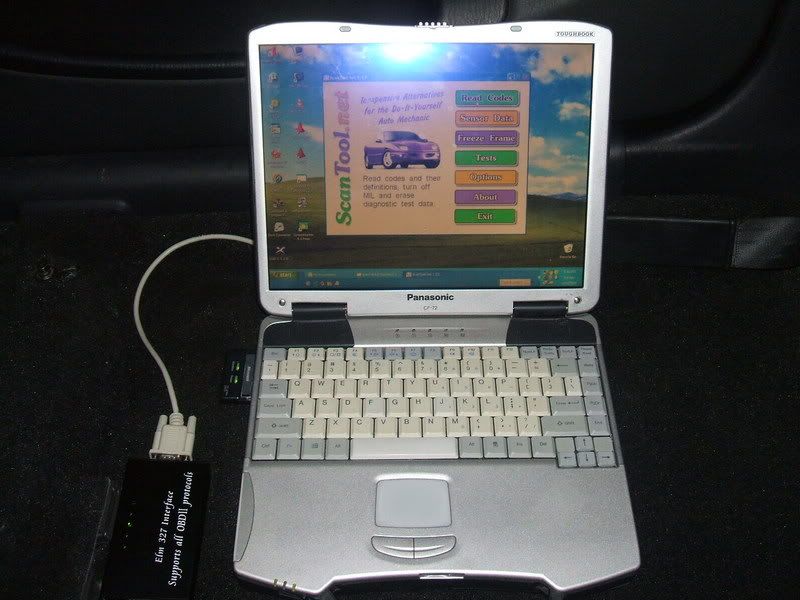
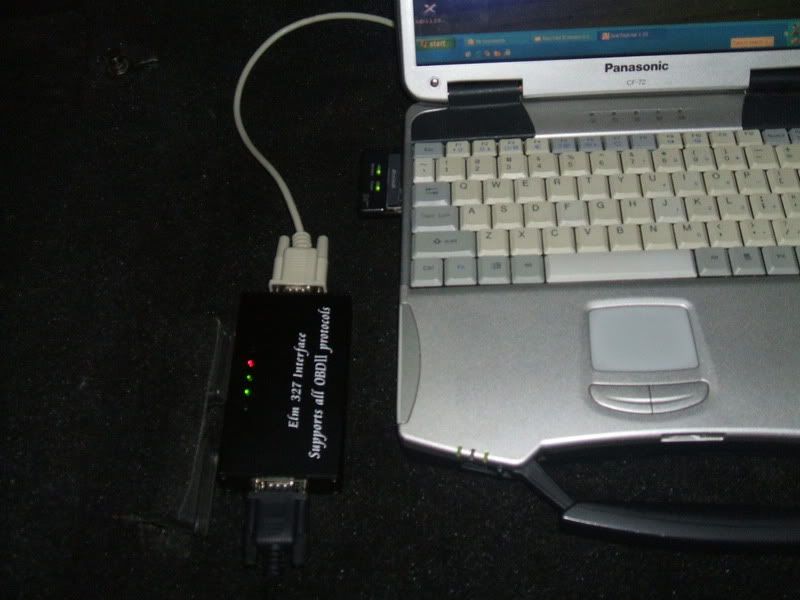
EasyOBD Software (Included in the CD-ROM) Screenshots
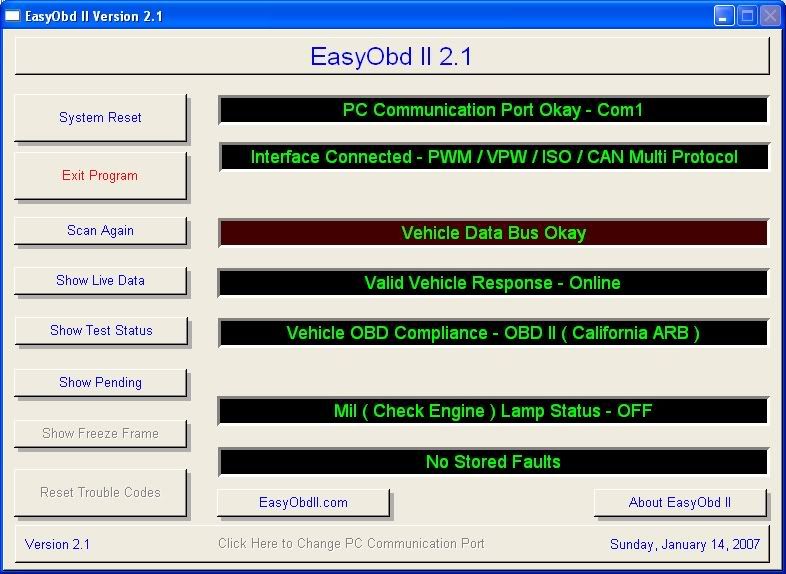
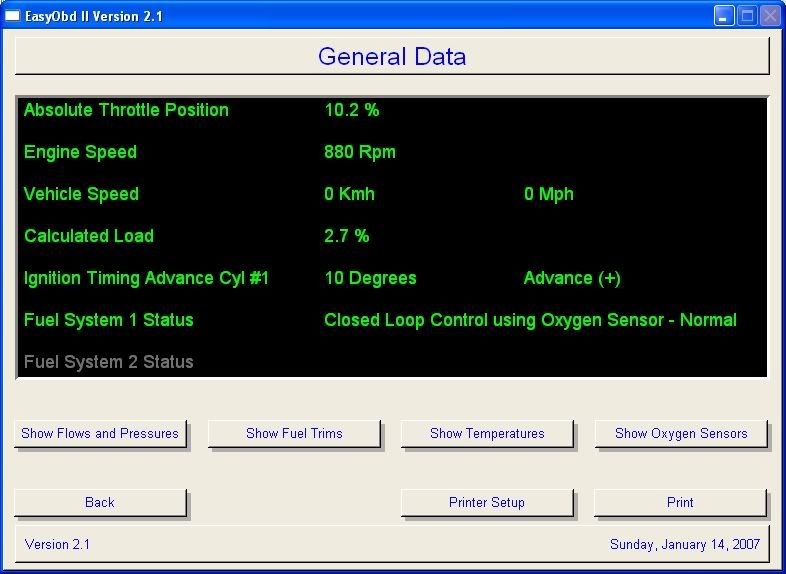
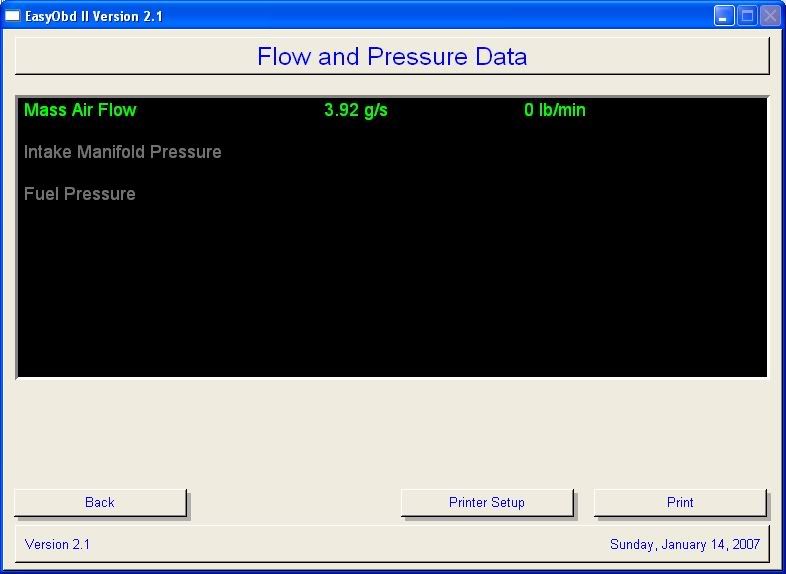
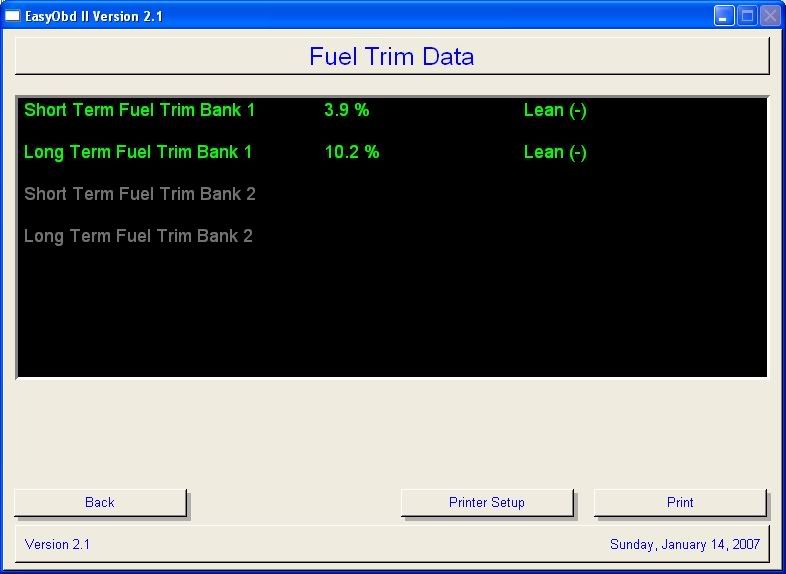
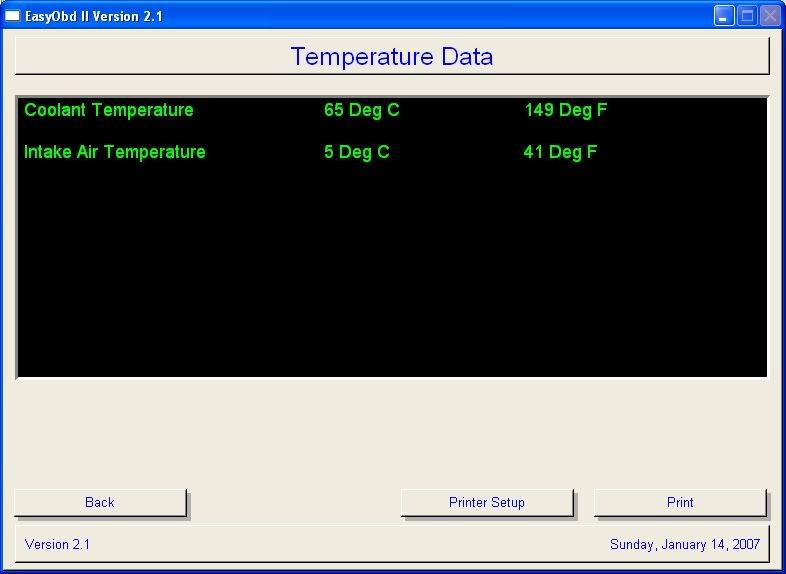
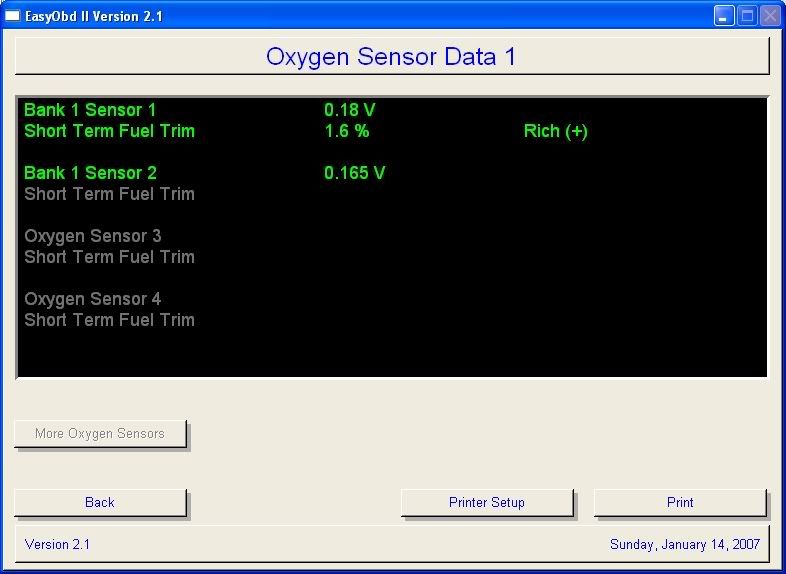
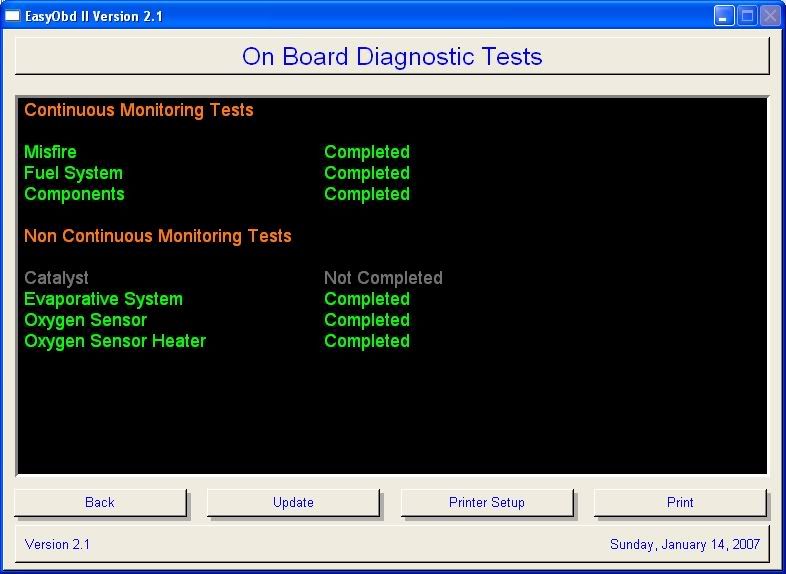
I deliberately introduced an OBD error (CEL)
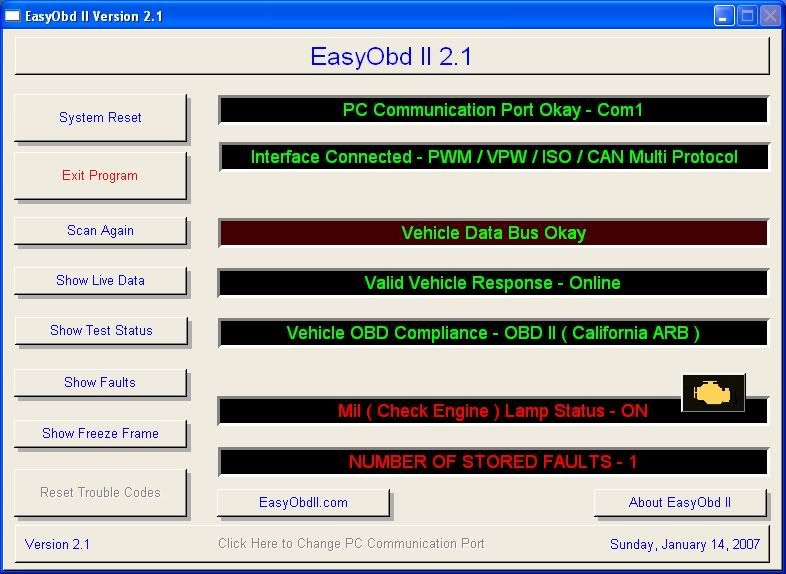
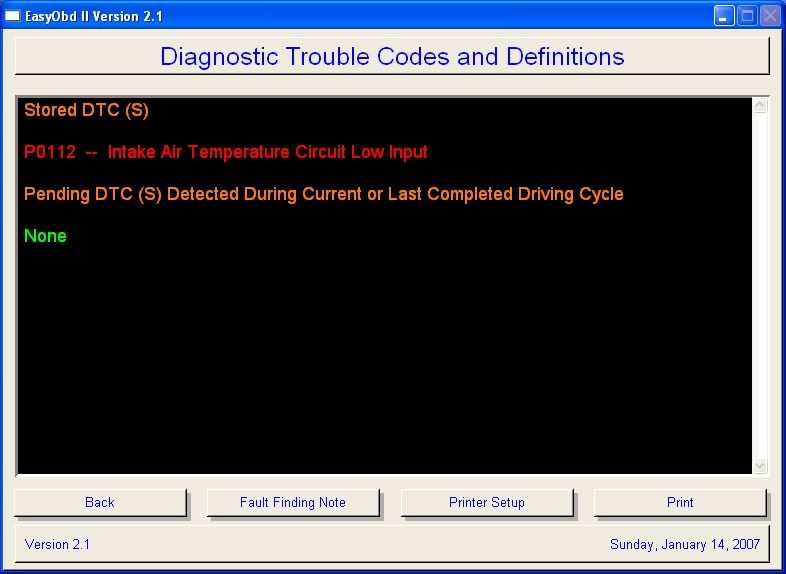
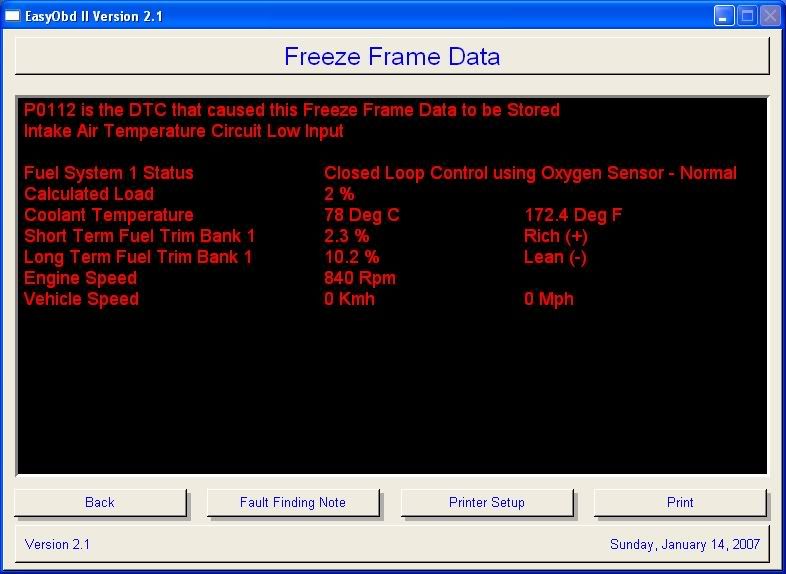
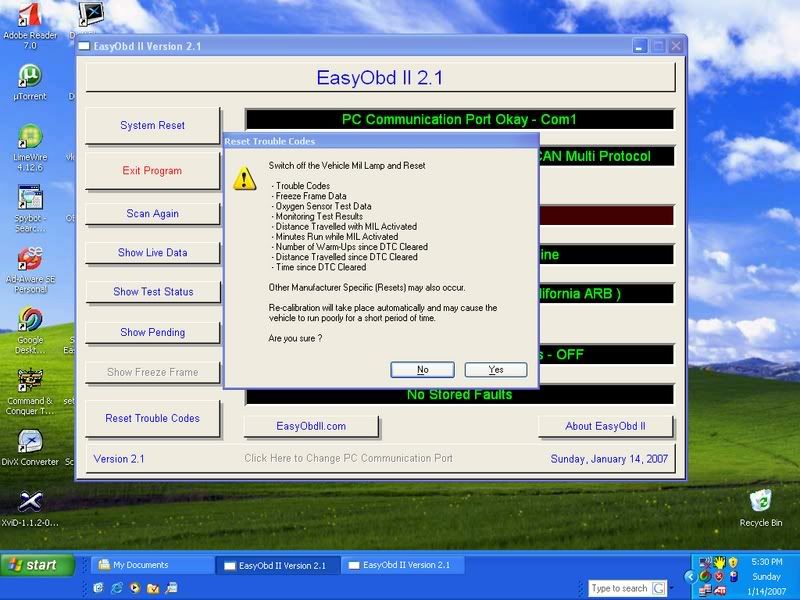
Scantool.Net Software (Included in the CD-ROM) Screenshots
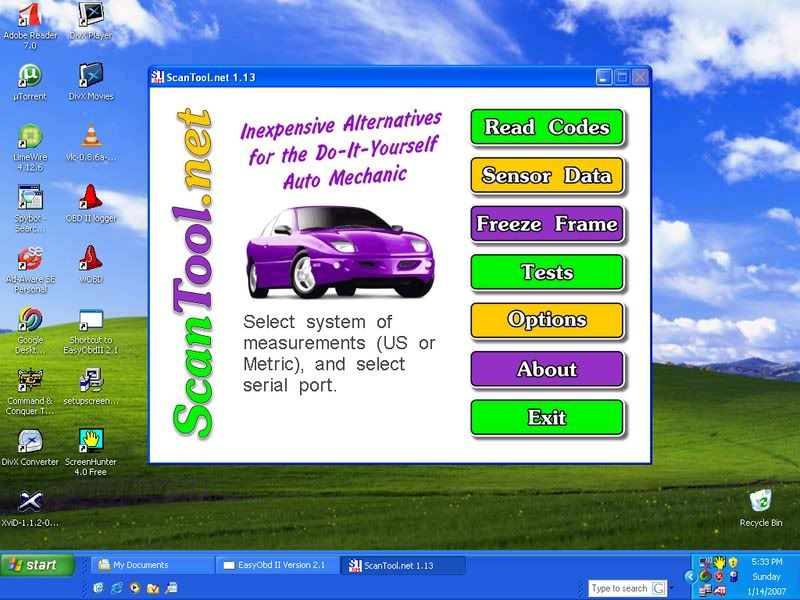
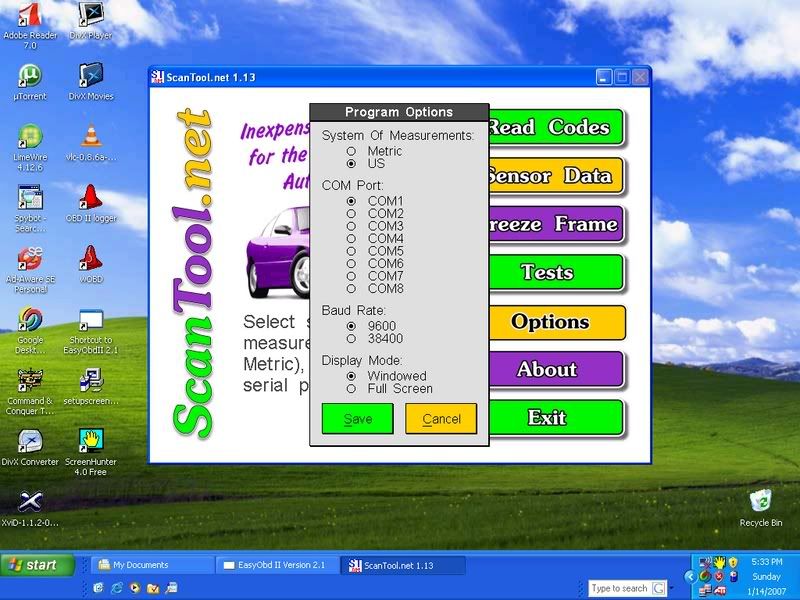
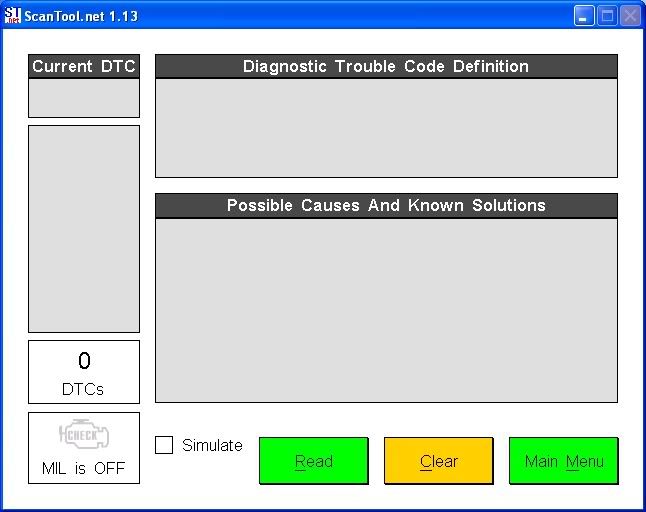
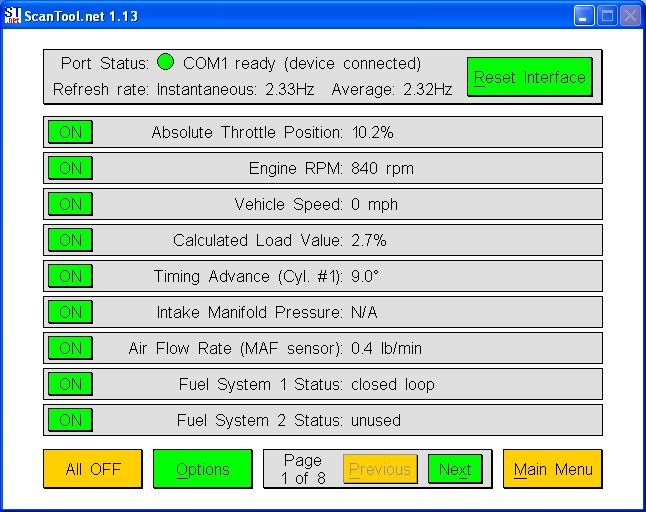
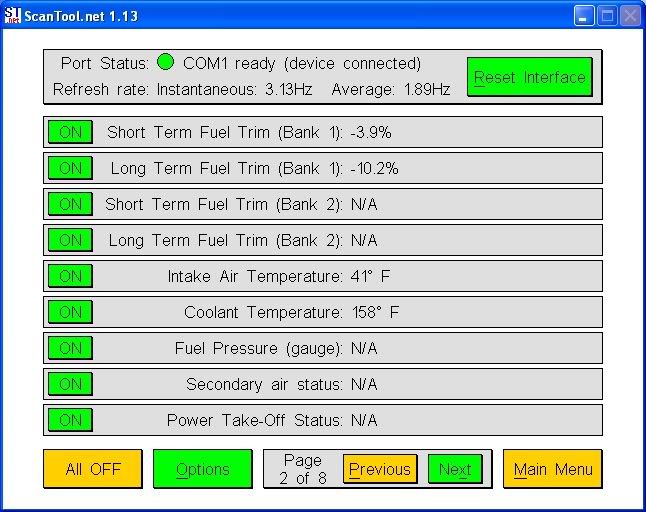
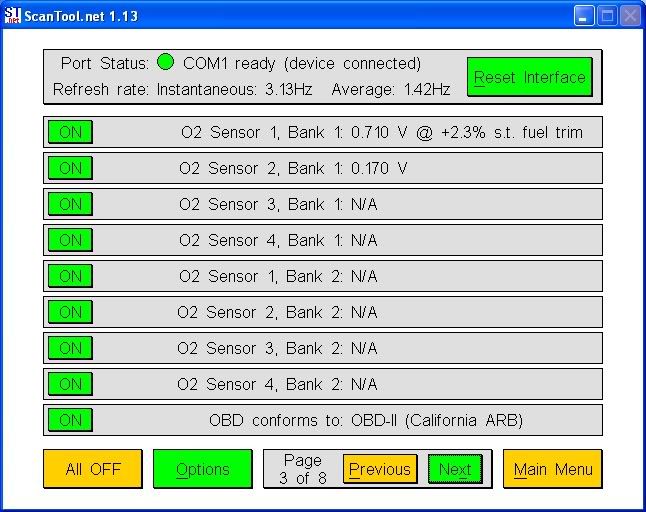
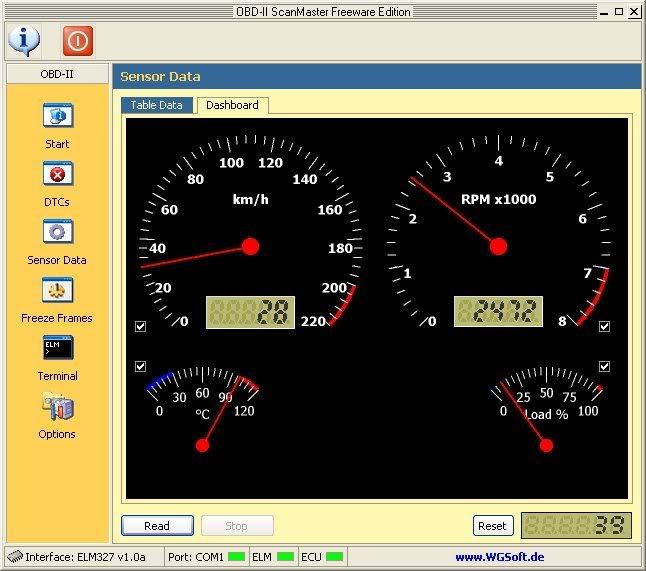
ScanMaster Software (Included in the CD-ROM) Screenshots:
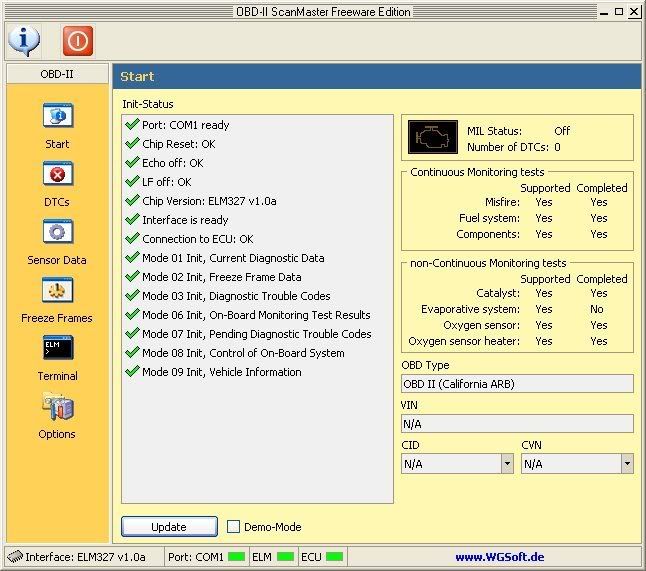
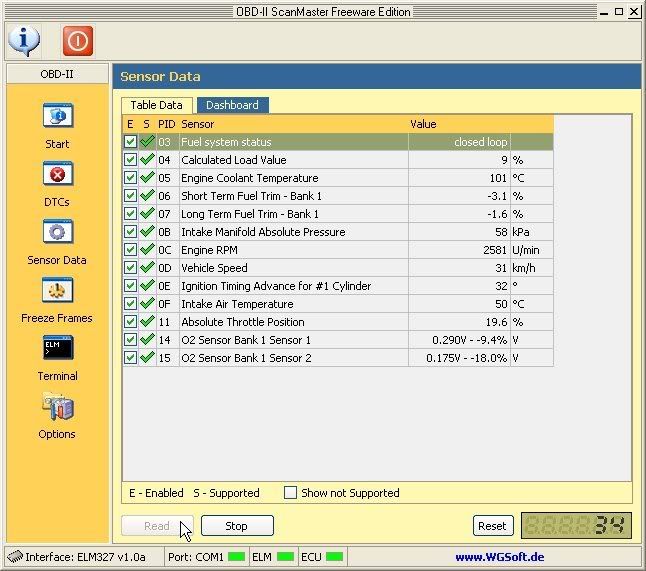
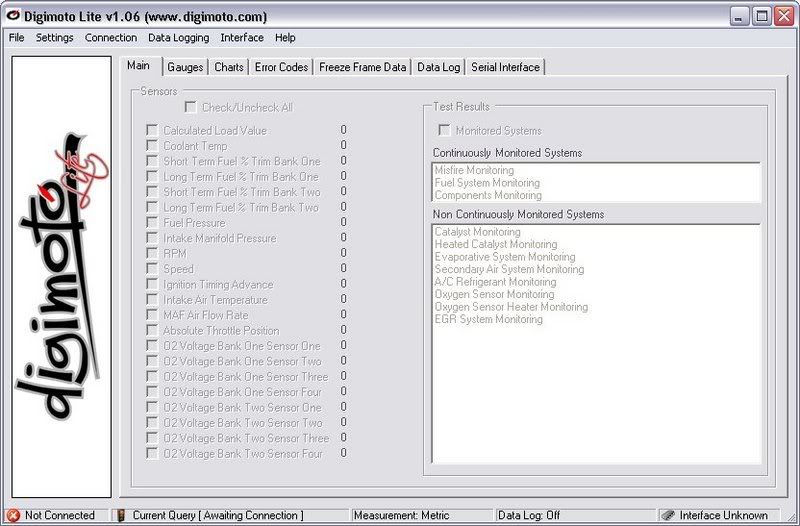
Digimoto Lite Software
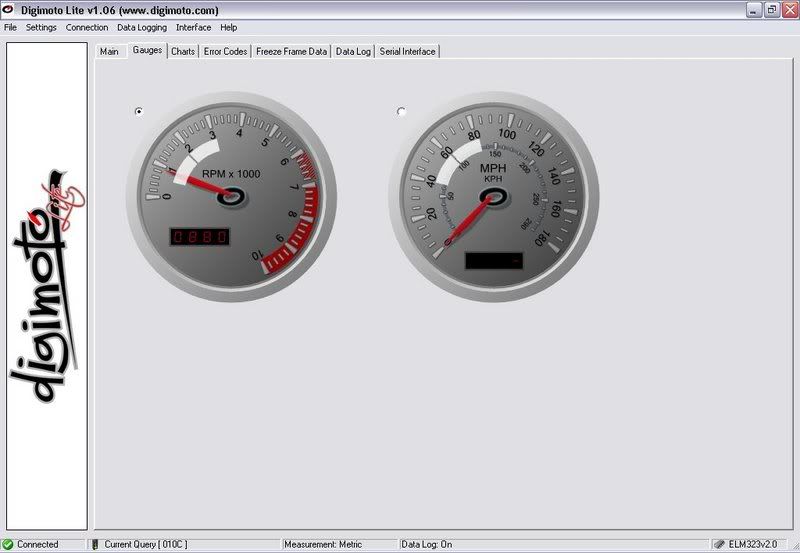
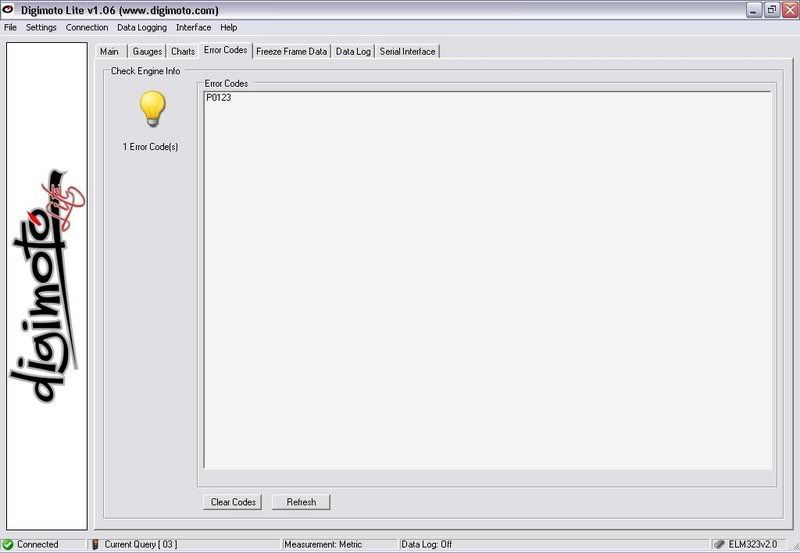
OBD DIAG
 More pics/screenshots HERE (post #55 of this thread)
----------------------------------------------
COM Port Settings:
(based on tanc's thread here... http://www.rdtiburon.com/index.php?showtopic=20585&hl= here are some more additional info about the com port settings)
there are two ways to change the com port # of your rs232 or serial port, that i know of... one is windows based and the other is dos..
since, i windows is the least complicated one, here's how it goes:
Go to the Control panel, then to the System Menu, then to the Hardware Tab, hit the Device Manager button, scroll down to Ports (COM & LPT), select Port settings (here you could change your bit rate), then click the Advanced button, and there you go! you can change your com port #'s from here.
Also while your are on this menu.. try leaving "FIFO" selected and Set the recieve and the transmit buffers to lowest setting. Then save your settings
USB Scantool COM Port Settings:
(based on drivingtibnaked's settings)
On the USB multi protocol scantool. The com ports and programs will function the same with the rest of the scantools.
Most of the software will work right away. Some of them stalled or something the first time around and I changed my USB port, restarted and got all but some of the experimental programs to work.
These are my com port settings first time plugged in everything worked correctly. Right click my computer, click manage, device manager, ports (LPT and COM), then select the USB Serial port.
Bits per second: 9600
Data bits: 8
Parity: None
Stop bits: 1
Flow control: none
Advanced:
Com port number: com4
Receive (bytes): 4096
Transmit(bytes): 4096
Latency timer(msec): 16
minimum read timeout (msec):0
minimum write timeout (msec):0
In all your programs select COM4, 9600, search around and see if there is an option for "ELM" and select that one. Leave any other settings as they are. This should work for everyone
Also, if anyone has "questions" regarding Digimoto, PM me wink1.gif

Senior Member
Joined: Mar 2006
Posts: 4,244
Likes: 0
From: Ashland, KY
Vehicle: 2001/Hyundai/Tiburon
just to put in some experience with these, I bought the 2nd one off jay a while back and it works great! You can read all kinds of info and buying one of these units at autozone or someplace like that is alot more expensive and is capable of a lot less.


Senior Member
Joined: Mar 2006
Posts: 9,172
Likes: 0
Vehicle: 2001/Hyundai/Tiburon
thought he was actually selling scantool.net equipment, but he's just using the software, which is good, the software is solid, and is what a lot of people base their obd sections off of for front ends in the carpc world. plus the stuff is cheaper than the scantool.net products, but works the same.
Thread Starter
http://www.hyundaiaftermarket.org/images/vendor1.png
Joined: Mar 2006
Posts: 2,178
Likes: 0
From: Vancouver, BC, Canada
Vehicle: 01 Tiburon
^^^
lol.gif yes, one of the softwares that i've used (and liked) is the scantool.net's, yes very solid indeed... but that's just one of many softwares that you can use it with; some are free some aren't. i'm continually trying the other softwares out there. so far, i have 3 that i find really good; ease of use and functionality wise... which i will be including in the CD-ROM with the scantool.
supercow,
i'm glad you're still loving it! thanks for the (good) review
i believe the single protocol (ISO) scantools will be here in a week, two weeks tops... sorry. the major storm systems lately just puts a dampen on a lot of things and i still have to deal with customs, brokerage and stuff.
but i do have the multi protocol scantools ready to go... i prefer this one due it's compatibility in virtually all cars.
lol.gif yes, one of the softwares that i've used (and liked) is the scantool.net's, yes very solid indeed... but that's just one of many softwares that you can use it with; some are free some aren't. i'm continually trying the other softwares out there. so far, i have 3 that i find really good; ease of use and functionality wise... which i will be including in the CD-ROM with the scantool.
QUOTE (Supercow @ Jan 15 2007, 10:30 AM)
just to put in some experience with these, I bought the 2nd one off jay a while back and it works great! You can read all kinds of info and buying one of these units at autozone or someplace like that is alot more expensive and is capable of a lot less.
supercow,
i'm glad you're still loving it! thanks for the (good) review
QUOTE (Ericy321 @ Jan 15 2007, 01:40 PM)
i will be getting the second or third one from you soon. just need some cash. how long until you can get the ISO ones?
i believe the single protocol (ISO) scantools will be here in a week, two weeks tops... sorry. the major storm systems lately just puts a dampen on a lot of things and i still have to deal with customs, brokerage and stuff.
but i do have the multi protocol scantools ready to go... i prefer this one due it's compatibility in virtually all cars.

Thread Starter
http://www.hyundaiaftermarket.org/images/vendor1.png
Joined: Mar 2006
Posts: 2,178
Likes: 0
From: Vancouver, BC, Canada
Vehicle: 01 Tiburon
^^^
Domi,
Yes, the scantools will work with EOBD systems, especially the multi-protocol scantool. But if there is any problems at all, you can always return it to me within 15 days
As for the someone you know who has bought the wrong scanners, check what protocol is his/her car running HERE before getting another scanner... actually just let me know and i will help out!
wouldn't you like to see this in your carpc along with other cool stuff?
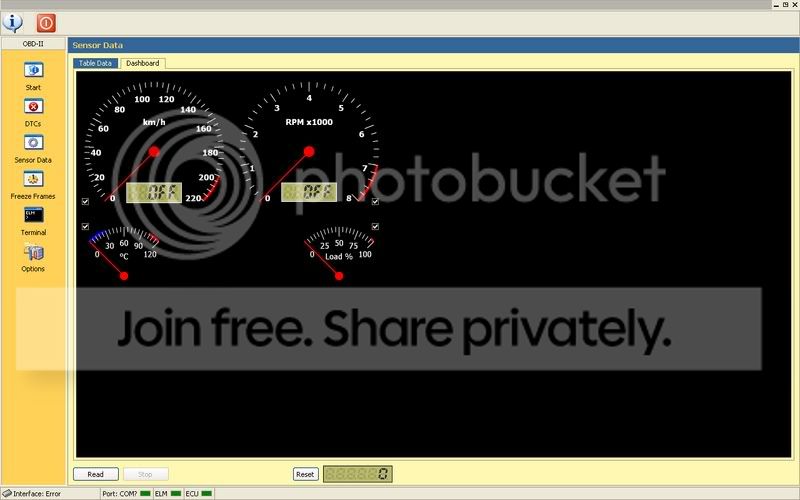
this software along with others will all be included in the cd-rom
Domi,
Yes, the scantools will work with EOBD systems, especially the multi-protocol scantool. But if there is any problems at all, you can always return it to me within 15 days
As for the someone you know who has bought the wrong scanners, check what protocol is his/her car running HERE before getting another scanner... actually just let me know and i will help out!
wouldn't you like to see this in your carpc along with other cool stuff?
this software along with others will all be included in the cd-rom