


Apex'i Safc2 Install And Initial Setup


Thread Starter
Senior Member
Joined: Jul 2001
Posts: 7,063
Likes: 0
From: Clovis, NM
Vehicle: 2010 Jeep Wrangler Unlimited

This install seems kind of intimidating since you are messing with the ECU wires, but it is not that bad. I did not get pictures of all the wires, but you should be able to figure them out by using the first picture anyways. Remember, look at the pin on the front and the pins around it then find the wire running to the pin. Alot of the pins have no wires connected to them so it makes it easy to navigate the back of the plug.
Step 1: Disconnect Battery Ground Cable
Step 2: Disconnect ECU Harness from ECU by Unscrewing 1ea Screw from end without metal clip. Pull down with metal clip and angle out.
Step 3: Clip Ziptie on Metal clip end, unwrap electrical tape and pull 4 inch plastic piece out. This loosens the harness from the plug. Now grab the plastic casing of the plug and the wiring harness and push towards each other, interior plug will pop out the bottom. Remove black plastic plug casing and you will have a lot more room to work with.
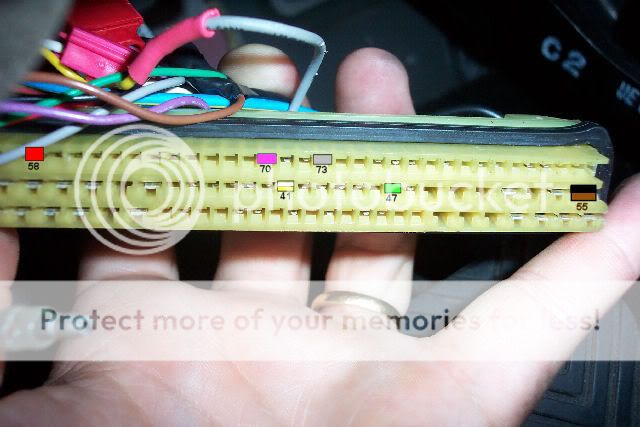
Here is what the harness will look like. I have color coded the picture below to show you what ECU wires you will hook your SAFC2 wires to.
You can either use wire taps or solder. Solder is more difficult, but more secure and probably alot more stable.
You have 5 ECU wires you will be connecting to and 7 SAFC2 wires you will be connecting.
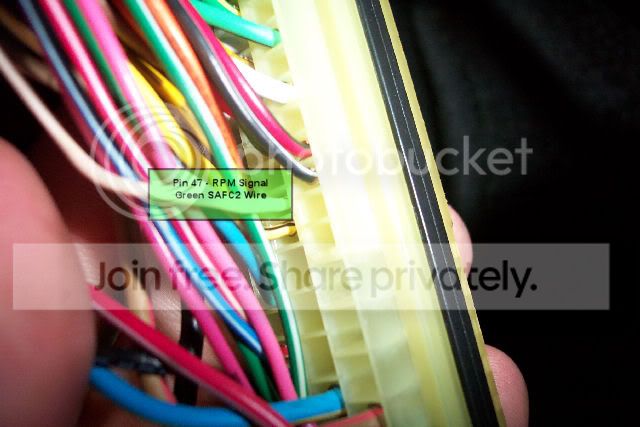
Green SAFC2 wire to PIN 47 - RPM Signal
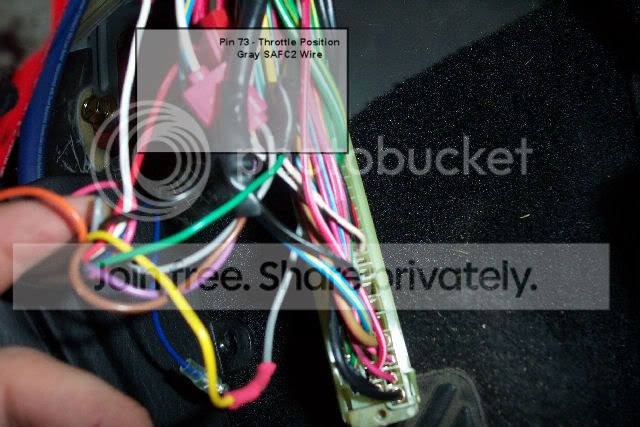
Gray SAFC2 wire to PIN 73 - Throttle Position Sensor
Locate ECU PIN 41 and Cut the wire about 4 inches from ECU plug.
Connect the Yellow SAFC wire to PIN 41 running into ECU plug.
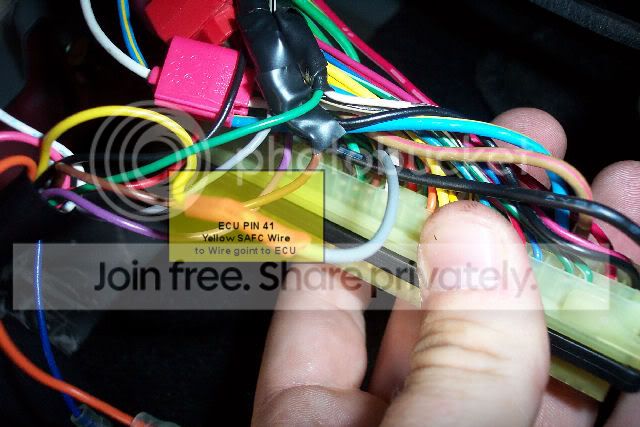
Connect the White SAFC2 wire to other end of PIN 41 wire.
Red SAFC2 wire to PIN 58 +12v Power
Locate PIN 55 and splice the Brown SAFC2 Wire close to the ECU Plug
Splice the Black SAFC2 Wire after the Brown SAFC2 Wire.
Both Brown and Black need to be spliced to the wire running into PIN 55.
<span style="color:red">Do not splice them into each other!</span>
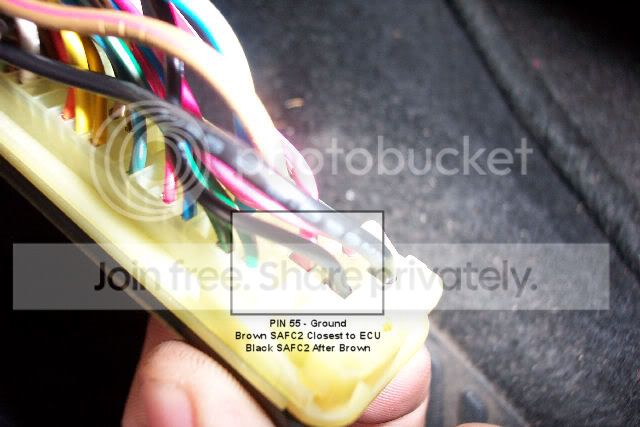
Purple SAFC wire to PIN 70 - Knock Sensor
You can either assemble the plug casing back together or leave it off. I chose to leave mine off.
Plug the ECU plug into the ECU and hook up the battery.
Step 1: Disconnect Battery Ground Cable
Step 2: Disconnect ECU Harness from ECU by Unscrewing 1ea Screw from end without metal clip. Pull down with metal clip and angle out.
Step 3: Clip Ziptie on Metal clip end, unwrap electrical tape and pull 4 inch plastic piece out. This loosens the harness from the plug. Now grab the plastic casing of the plug and the wiring harness and push towards each other, interior plug will pop out the bottom. Remove black plastic plug casing and you will have a lot more room to work with.
Here is what the harness will look like. I have color coded the picture below to show you what ECU wires you will hook your SAFC2 wires to.
You can either use wire taps or solder. Solder is more difficult, but more secure and probably alot more stable.
You have 5 ECU wires you will be connecting to and 7 SAFC2 wires you will be connecting.
Green SAFC2 wire to PIN 47 - RPM Signal
Gray SAFC2 wire to PIN 73 - Throttle Position Sensor
Locate ECU PIN 41 and Cut the wire about 4 inches from ECU plug.
Connect the Yellow SAFC wire to PIN 41 running into ECU plug.
Connect the White SAFC2 wire to other end of PIN 41 wire.
Red SAFC2 wire to PIN 58 +12v Power
Locate PIN 55 and splice the Brown SAFC2 Wire close to the ECU Plug
Splice the Black SAFC2 Wire after the Brown SAFC2 Wire.
Both Brown and Black need to be spliced to the wire running into PIN 55.
<span style="color:red">Do not splice them into each other!</span>
Purple SAFC wire to PIN 70 - Knock Sensor
You can either assemble the plug casing back together or leave it off. I chose to leave mine off.
Plug the ECU plug into the ECU and hook up the battery.
Thread Starter
Senior Member
Joined: Jul 2001
Posts: 7,063
Likes: 0
From: Clovis, NM
Vehicle: 2010 Jeep Wrangler Unlimited
Now you need to turn the car to the ON position. The SAFC2 should power up and go through an animation.
After the animation you should see this menu:
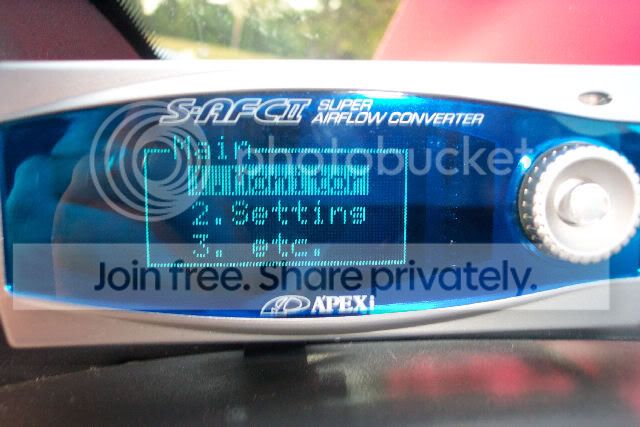
To make a selection you press in on the center button. Press right to go to next, press left to go to the previous, press up to go to the top level.
I chose to initialize mine since I bought it second hand. The SAFC2 does not require constant power to maintain the settings. It stores them in memory. The good part about that is if your battery dies, or you unplug it you will not lose your settings.
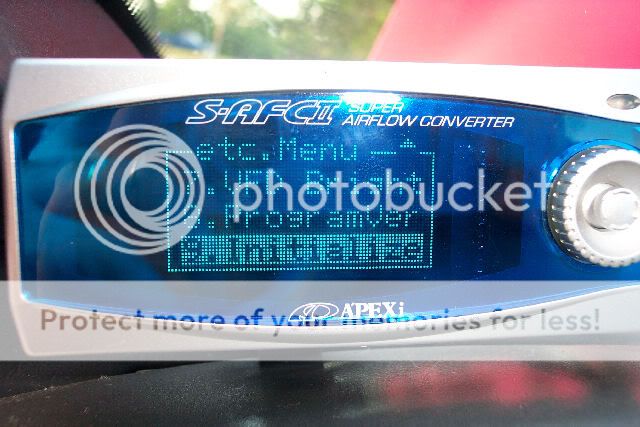
To initialize select ETC. from the menu, scroll all the way to the bottom and you will see the screen below. Push in on the button.
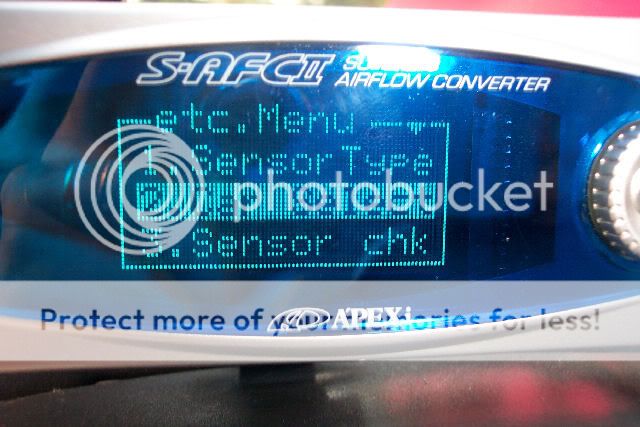
Now go back to the ETC. Menu and Select Sensor Type:
Select Hot Wire:
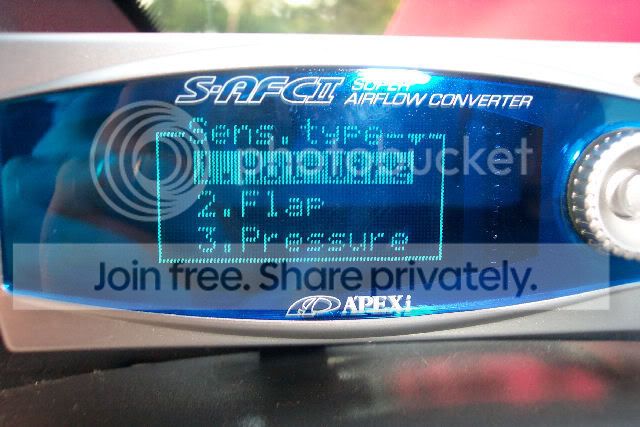
Select Sens No 1 and 1:
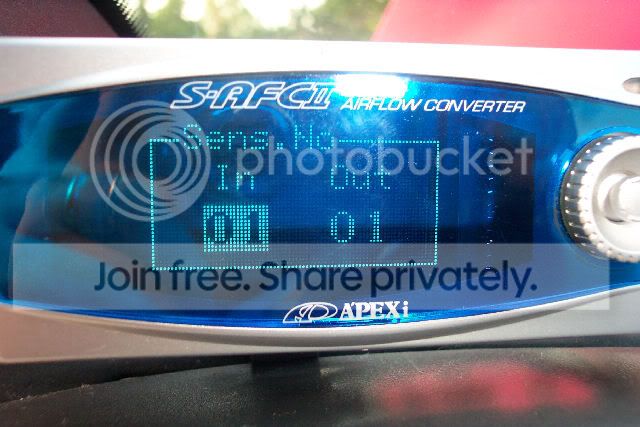
Select Sens Cal 1 and 1:
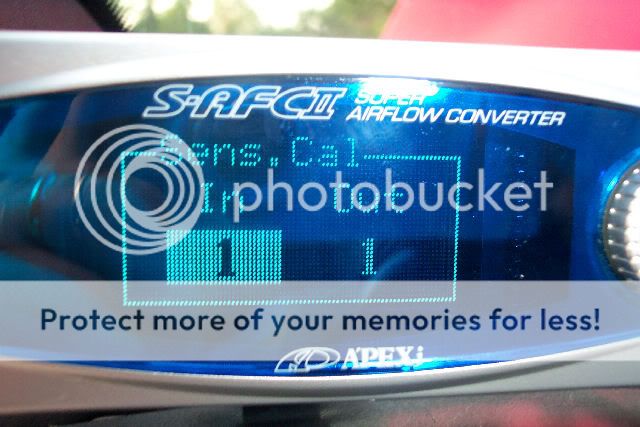
Go back to the ETC. Menu and Select Car Select. Set it to 4 and arrow up to the right:
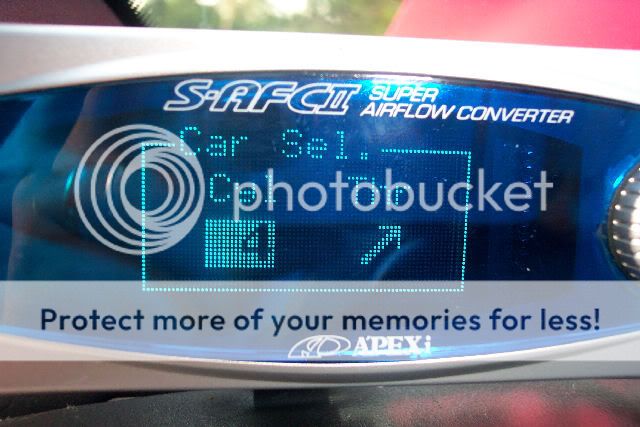
After the animation you should see this menu:
To make a selection you press in on the center button. Press right to go to next, press left to go to the previous, press up to go to the top level.
I chose to initialize mine since I bought it second hand. The SAFC2 does not require constant power to maintain the settings. It stores them in memory. The good part about that is if your battery dies, or you unplug it you will not lose your settings.
To initialize select ETC. from the menu, scroll all the way to the bottom and you will see the screen below. Push in on the button.
Now go back to the ETC. Menu and Select Sensor Type:
Select Hot Wire:
Select Sens No 1 and 1:
Select Sens Cal 1 and 1:
Go back to the ETC. Menu and Select Car Select. Set it to 4 and arrow up to the right:
Thread Starter
Senior Member
Joined: Jul 2001
Posts: 7,063
Likes: 0
From: Clovis, NM
Vehicle: 2010 Jeep Wrangler Unlimited
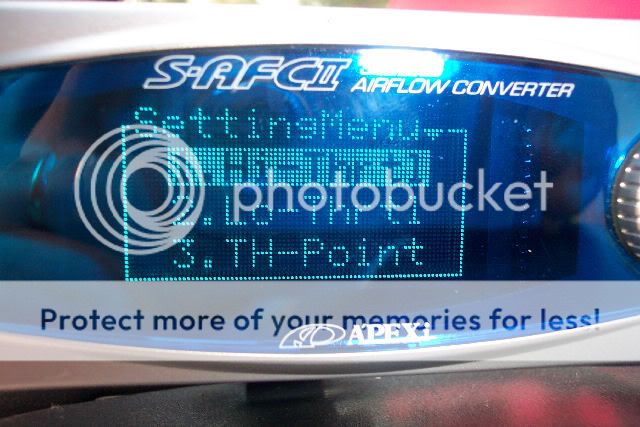
Go to the Settings menu and select TH - Point:
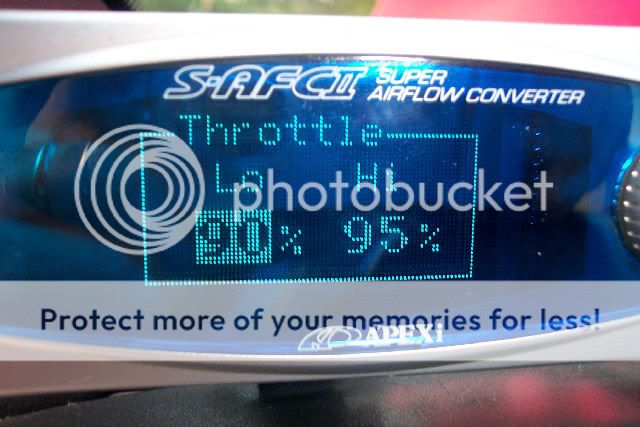
Select 90 for low and 95 for high:
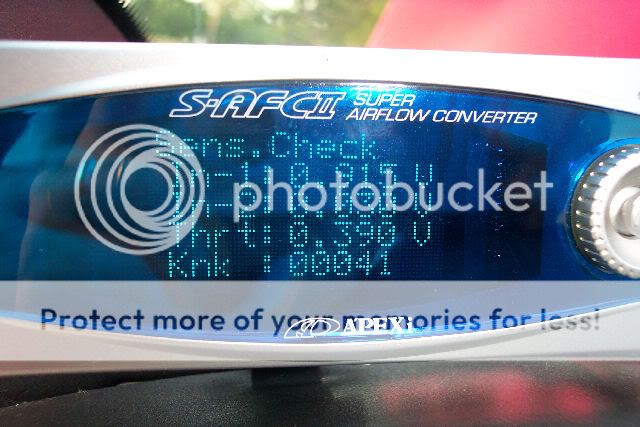
Now go to the Sensor Check in the Settings Menu. It should look like this without the throttle being pressed down.
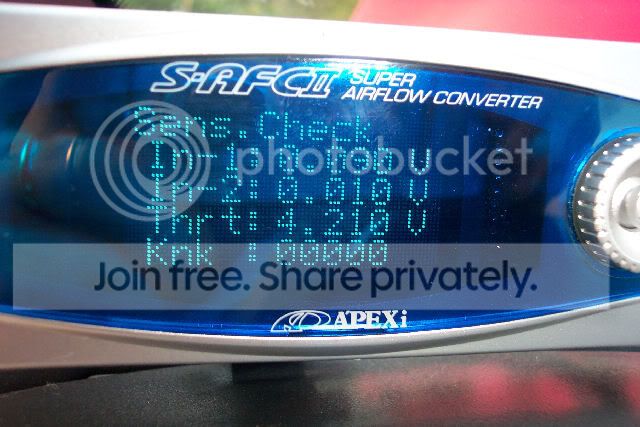
With the throttle on full it should look like this:
Knock Sensor Setup: You need to configure it to detect the knocks. To do that you go to the setting menu, Knock Setting. Have the car at idle and all warmed up. You should see your RPMS and a Knock reading, scroll down to the 1st setting and press the throttle to get it stable between 1300 and 1600 RPMS, once stable press the controller to the right, it will set the knock meter. Do the same thing for the second setting but have the car reved to around 3500.
That's the basics to getting this setup. If you see an error please let me know. You will need to set the NE points to something our car will use, I only set 8 of them on mine.
NE1 1000
NE2 2000
NE3 3000
NE4 4000
NE5 5000
NE6 5500
NE7 6000
NE8 6500
I didn't set anything for the Low Throttle Correction Map. For the high map I set it as follows:
1000 0%
2000 +1%
3000 -3%
4000 -6%
5000 -8%
5500 -9%
6000 -11%
6500 -14%
These settings may not work for you. I set them today and the car seemed to run better while I was driving full throttle. I am not responsible if you blow yours up.
Select 90 for low and 95 for high:
Now go to the Sensor Check in the Settings Menu. It should look like this without the throttle being pressed down.
With the throttle on full it should look like this:
Knock Sensor Setup: You need to configure it to detect the knocks. To do that you go to the setting menu, Knock Setting. Have the car at idle and all warmed up. You should see your RPMS and a Knock reading, scroll down to the 1st setting and press the throttle to get it stable between 1300 and 1600 RPMS, once stable press the controller to the right, it will set the knock meter. Do the same thing for the second setting but have the car reved to around 3500.
That's the basics to getting this setup. If you see an error please let me know. You will need to set the NE points to something our car will use, I only set 8 of them on mine.
NE1 1000
NE2 2000
NE3 3000
NE4 4000
NE5 5000
NE6 5500
NE7 6000
NE8 6500
I didn't set anything for the Low Throttle Correction Map. For the high map I set it as follows:
1000 0%
2000 +1%
3000 -3%
4000 -6%
5000 -8%
5500 -9%
6000 -11%
6500 -14%
These settings may not work for you. I set them today and the car seemed to run better while I was driving full throttle. I am not responsible if you blow yours up.

Senior Member
Joined: Mar 2006
Posts: 9,172
Likes: 0
Vehicle: 2001/Hyundai/Tiburon
<div class='quotetop'>QUOTE (javageek @ May 25 2005, 10:09 PM)</div><div class='quotemain'>These settings may not work for you. I set them today and the car seemed to run better while I was driving full throttle. I am not responsible if you blow yours up.
<div align='right'><{POST_SNAPBACK}></div></div>
lol...adding to the listing.
<div align='right'><{POST_SNAPBACK}></div></div>
lol...adding to the listing.





Thread Starter
Senior Member
Joined: Jul 2001
Posts: 7,063
Likes: 0
From: Clovis, NM
Vehicle: 2010 Jeep Wrangler Unlimited
<div class='quotetop'>QUOTE (Mad_john @ May 25 2005, 11:04 PM)</div><div class='quotemain'>i noticed that ithe new one moniters the knocking also, whoo do tell java smile.gif
<div align='right'><{POST_SNAPBACK}></div></div>
That is what Pin 70 does. You need to configure it to detect the knocks first though. To do that you go to the setting menu, Knock Setting. Have the car at idle and all warmed up. You should see your RPMS and a Knock reading, scroll down to the 1st setting and press the throttle to get it stable between 1300 and 1600 RPMS, once stable press the controller to the right, it will set the knock meter. Do the same thing for the second setting but have the car reved to around 3500.
<div align='right'><{POST_SNAPBACK}></div></div>
That is what Pin 70 does. You need to configure it to detect the knocks first though. To do that you go to the setting menu, Knock Setting. Have the car at idle and all warmed up. You should see your RPMS and a Knock reading, scroll down to the 1st setting and press the throttle to get it stable between 1300 and 1600 RPMS, once stable press the controller to the right, it will set the knock meter. Do the same thing for the second setting but have the car reved to around 3500.

