Diy: 10 Easy Steps On Posting Images For Newbies.


Thread Starter
Senior Member
Joined: Dec 2004
Posts: 1,140
Likes: 0
From: Springdale, Arkansas

Okay, so I searched for DIY posting images for the newbs, but never found one and since people sometimes ask how to do this, I decided to make a video on how to do this along with the steps following if you don't understand the video. This should make life better for most of you new forum users.

Okay now if you didnt understand that, or if you are confused by my laughter at the end, here's what i'm saying:
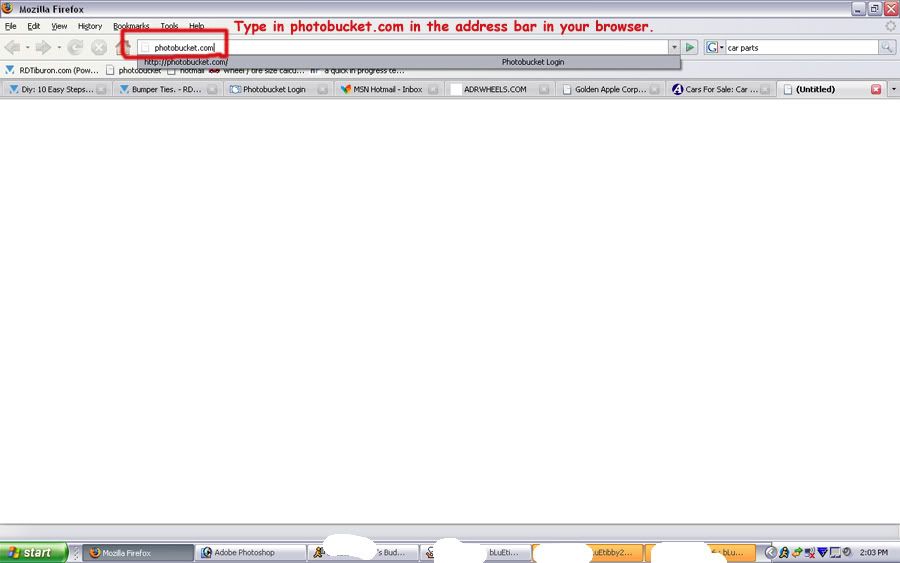
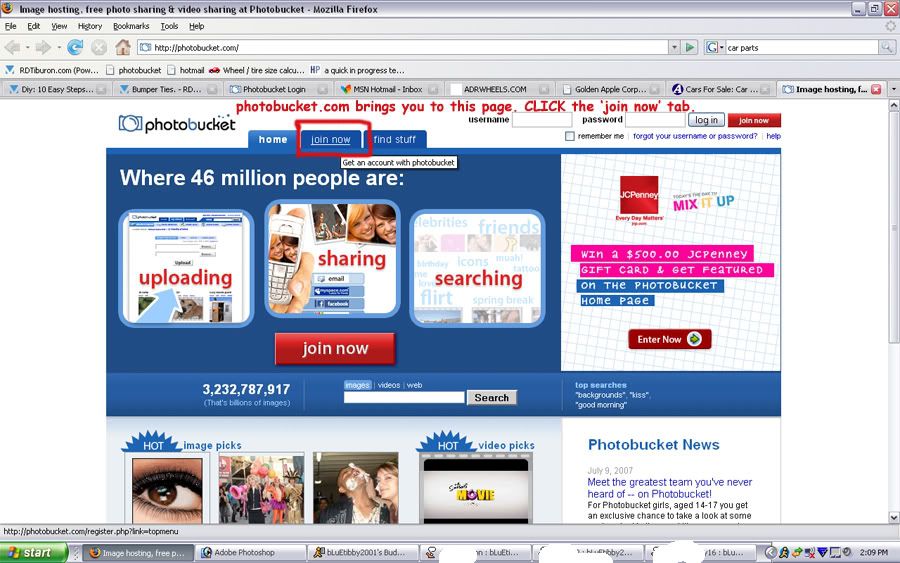
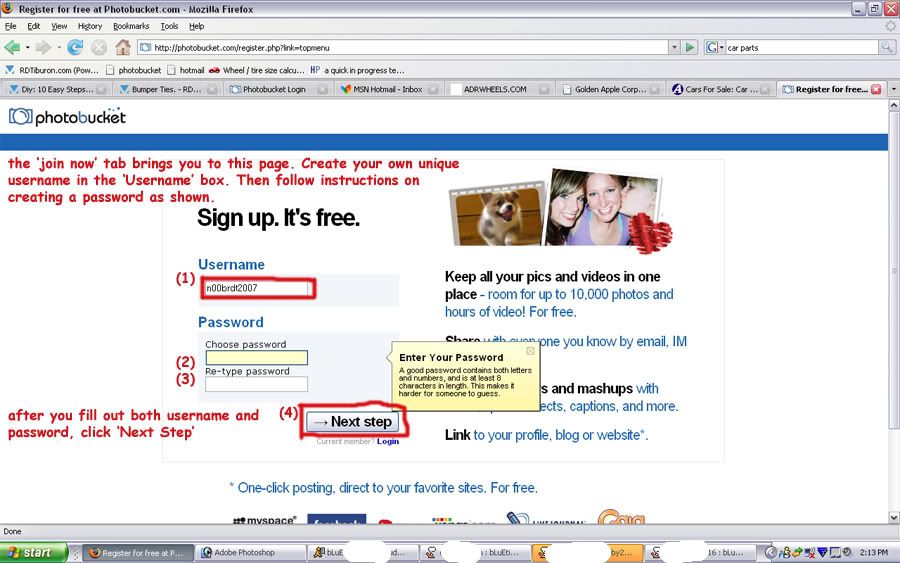
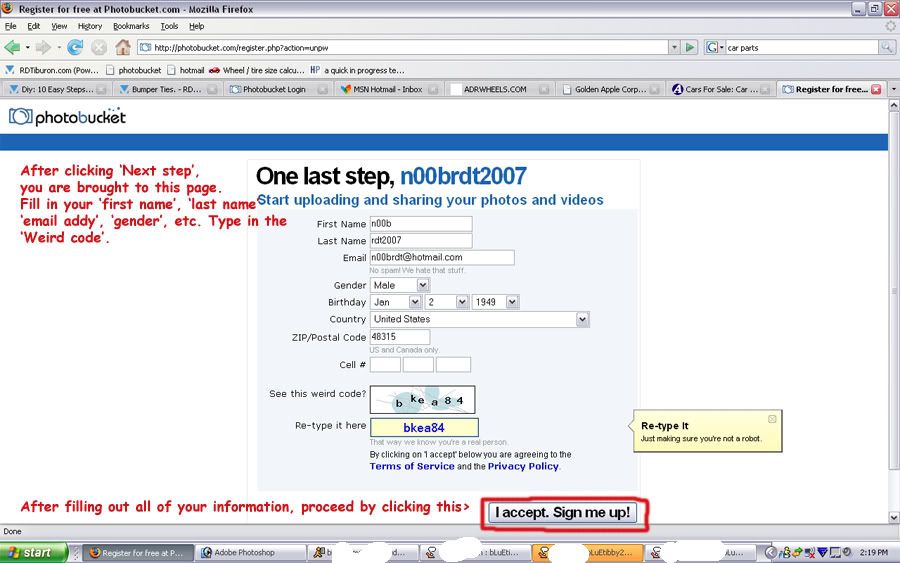
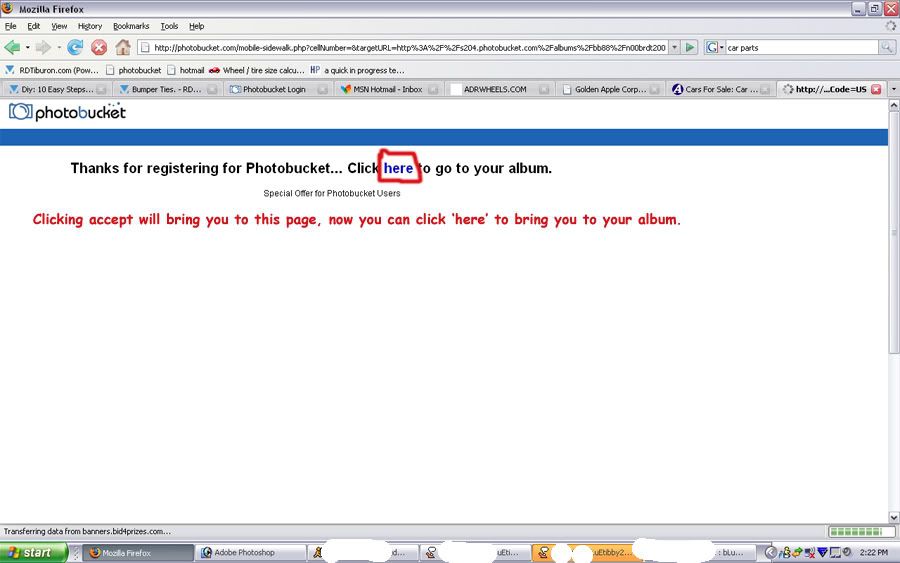
STEP 1: Create a Photobucket or an Image Shack Account or anything similar. (Assuming Imageshack or anything else does their uploading the same way.)
STEP 2: Sign in.
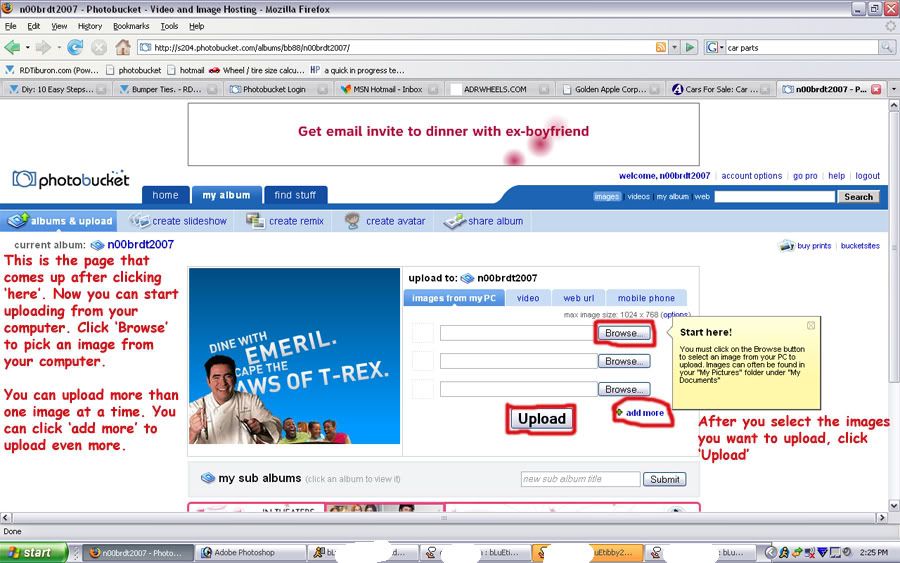
STEP 3: Click on "Browse".
STEP 4: There should be a box of files. Click on Documents, and then go to My Pictures to select the desired photo.
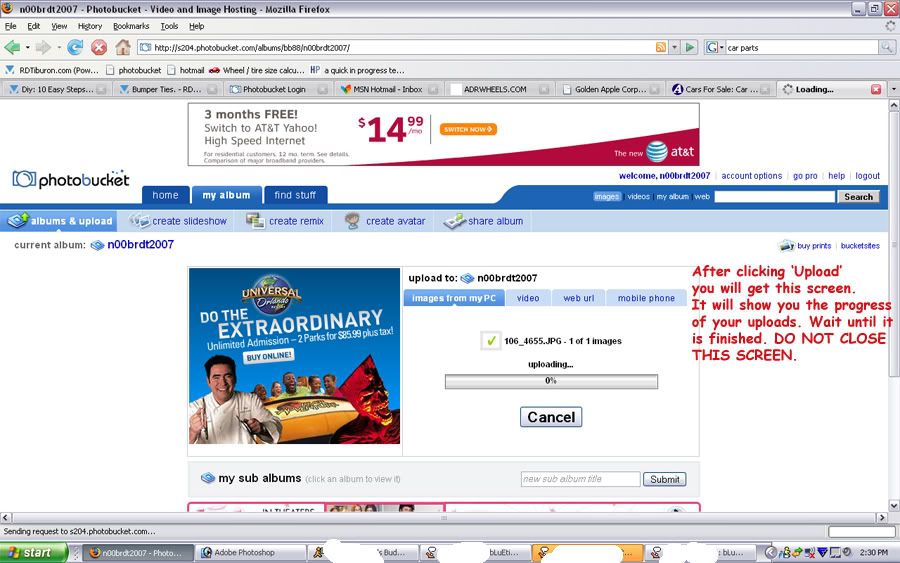
STEP 5: Click Upload.
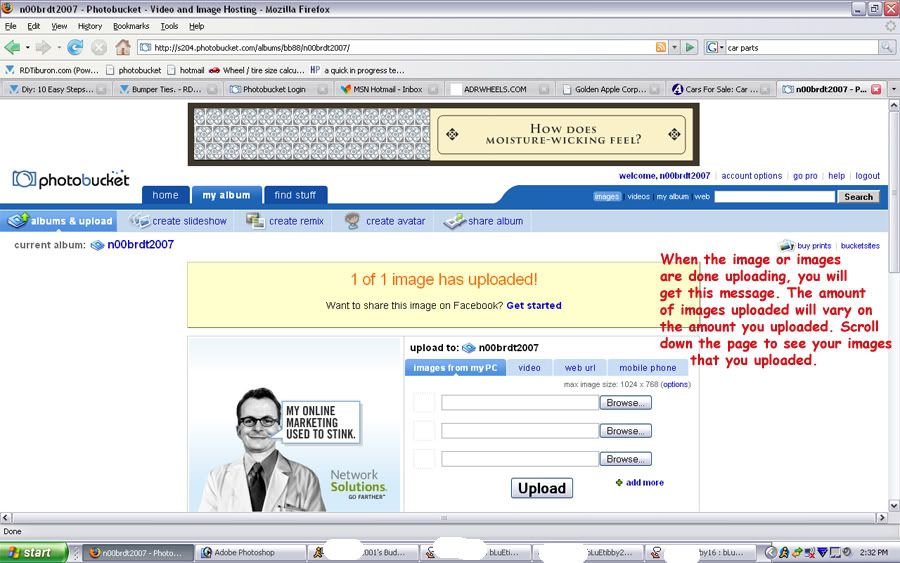
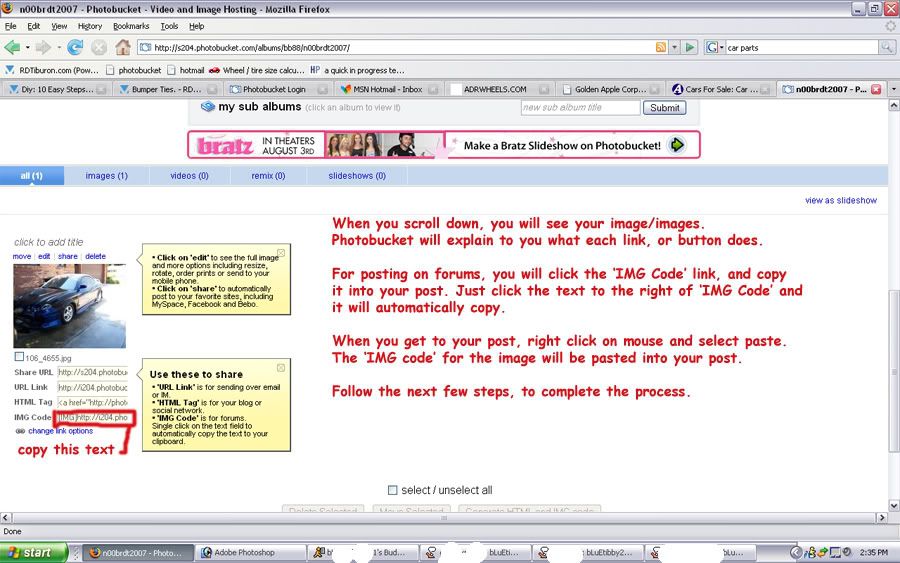
STEP 6: Click and copy the Tab that has the in it. This is your image code.
STEP 7: Go to any website you post on (i.e. RDTiburon.com)
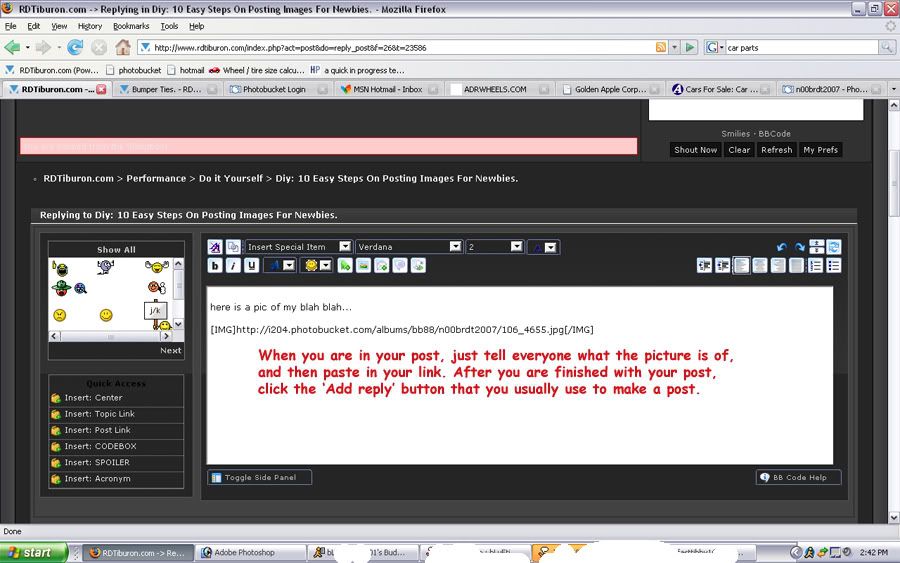
STEP 8: Either start a new topic or if someone is awaiting your pictures in your intro thread, go to that thread and click paste.
STEP 9: Click on "Post New Topic" if you are posting a new topic about your car or anything else and have pics you want to show us. Click "Add Reply" If you've already started a topic and want to post pics about something.
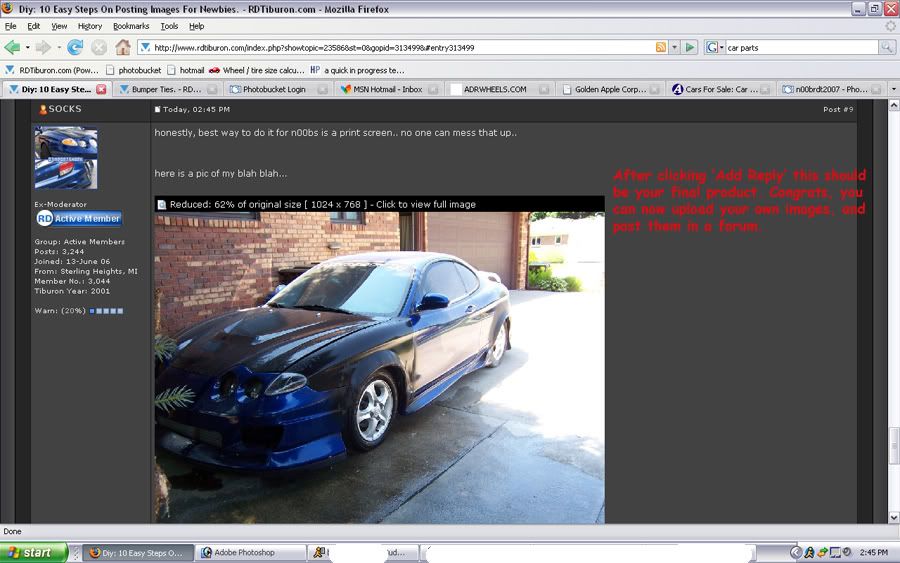
STEP 10: Enjoy your photos as you share throughout the interweb.
Edit: Yah....alot of Dale Jr. stuff, dont ask, my dad is a big fan.
Okay now if you didnt understand that, or if you are confused by my laughter at the end, here's what i'm saying:
STEP 1: Create a Photobucket or an Image Shack Account or anything similar. (Assuming Imageshack or anything else does their uploading the same way.)
STEP 2: Sign in.
STEP 3: Click on "Browse".
STEP 4: There should be a box of files. Click on Documents, and then go to My Pictures to select the desired photo.
STEP 5: Click Upload.
STEP 6: Click and copy the Tab that has the in it. This is your image code.
STEP 7: Go to any website you post on (i.e. RDTiburon.com)
STEP 8: Either start a new topic or if someone is awaiting your pictures in your intro thread, go to that thread and click paste.
STEP 9: Click on "Post New Topic" if you are posting a new topic about your car or anything else and have pics you want to show us. Click "Add Reply" If you've already started a topic and want to post pics about something.
STEP 10: Enjoy your photos as you share throughout the interweb.
Edit: Yah....alot of Dale Jr. stuff, dont ask, my dad is a big fan.